• Skip to primary navigation
  • Skip to main content
  • Skip to primary sidebar
webnzee

Webnzee

Webnzee — Your Web Dev Companion.

  • Home
  • Blog
  • Terms
    • Privacy
    • Disclaimer
  • Support
  • Subscribe
  • Contact
  • Show Search
Hide Search

Post

Is Twilio a Bad Company? A Balanced Review — And Should You Join the Twilio Champion Program?

Rajeev Bagra · February 26, 2026 · Leave a Comment

Image
Image
Image
Image

If you’re considering testing Twilio — or even applying to the Twilio Champion Program — you may have noticed an explosion of negative reviews online.

That raises two important questions:

  1. Is Twilio actually a bad company?
  2. Could representing yourself as a Twilio Champion harm your professional reputation?

Let’s examine this objectively — with relevant links so you can verify everything yourself.


ߒ What Is Twilio?

Twilio is a cloud communications platform that allows developers to integrate:

  • SMS
  • Voice calls
  • WhatsApp
  • Video
  • Email (via SendGrid)
  • Authentication (OTP / 2FA)

directly into applications via APIs.

ߔ Official website:
https://www.twilio.com/

ߔ Twilio documentation (excellent developer resource):
https://www.twilio.com/docs

ߔ Product overview:
https://www.twilio.com/en-us/products

Twilio is not a simple no-code marketing tool. It is infrastructure — similar to AWS for communications.


ߓ Why So Many Negative Reviews?

On platforms like Trustpilot, Twilio has many 1-star reviews:

ߔ Trustpilot reviews:
https://www.trustpilot.com/review/www.twilio.com

Common complaints include:

  • Account verification problems
  • Billing confusion
  • Support delays
  • Spam calls from numbers using Twilio infrastructure

However, context matters.

Twilio provides the infrastructure — if a bad actor uses Twilio to send spam, the complaint often targets Twilio itself. This is similar to blaming a hosting provider for malicious content hosted on its servers.

Also, review platforms naturally attract dissatisfied users more than satisfied ones.


✔ What Independent Software Review Sites Show

While Trustpilot skews negative, verified software platforms show more balanced sentiment:

ߔ Capterra Reviews:
https://www.capterra.com/p/180158/Twilio-Communications-Platform/reviews/

ߔ G2 Reviews:
https://www.g2.com/products/twilio/reviews

These platforms include many developers praising:

  • API flexibility
  • Global messaging reach
  • Integration capabilities
  • Scalability

This difference highlights something important:
Technical users and infrastructure builders often view Twilio very differently from frustrated end-users.


ߏ Twilio’s Real USP (What Others Often Lack)

Here’s where Twilio stands out.

1️⃣ Programmable Communications

Twilio allows you to program communication logic directly into your app:

  • Conditional SMS triggers
  • Automated call routing
  • Workflow-based messaging
  • OTP authentication
  • Event-based notifications

This programmable depth is something many simpler SMS or VoIP providers don’t match at the same scale.


2️⃣ Omnichannel Unified API

Instead of juggling multiple vendors, Twilio supports:

  • SMS
  • Voice
  • WhatsApp
  • Chat
  • Email
  • Video

from a unified platform.

That architecture is especially attractive for SaaS founders and product teams.


3️⃣ Enterprise Scalability

Twilio is used by startups — but also powers enterprise-grade communication systems globally.

It is built to scale across countries, compliance environments, and large message volumes.


⚠ Honest Weaknesses

To be fair:

  • Pricing can become expensive at scale
  • Support quality can vary by plan tier
  • Learning curve is steep for non-developers
  • Abuse by bad actors affects public perception

These explain many of the negative reviews.


ߌ What About the Twilio Champion Program?

If you’re thinking long-term about ecosystem positioning, this matters.

ߔ Official Twilio Champion Program page:
https://www.twilio.com/en-us/champions

The program recognizes developers and community leaders who:

  • Build innovative solutions using Twilio
  • Share knowledge
  • Contribute to developer communities
  • Publish tutorials or talks

It’s not a marketing affiliate program — it’s more of a developer advocacy recognition.


Will Being a Twilio Champion Harm You?

Only if you present it uncritically.

Tech credibility comes from nuance.

If you say:

“Twilio is perfect for everyone.”

That’s risky.

If you say:

“Twilio is powerful for programmable communications but not ideal for every use case.”

That’s professional and credible.

Balanced representation strengthens your reputation.


ߎ Final Verdict

Is Twilio a bad company?

No.

It is a developer-focused communications infrastructure company with:

✔ Strong APIs
✔ Global scalability
✔ Omnichannel architecture
✔ Large developer ecosystem

But also:

✖ Mixed support reviews
✖ Pricing concerns
✖ Expectation mismatches

If your audience is technical or SaaS-focused, Twilio remains highly respected.

If your audience expects plug-and-play marketing simplicity, alternatives may fit better.


Strategic Recommendation

If you’re considering applying to the Twilio Champion Program:

  1. Test Twilio in real projects.
  2. Publish balanced technical content.
  3. Share strengths and limitations openly.
  4. Build credibility through implementation — not promotion.

That positions you as thoughtful — not biased.


Official Reddit RSS Feed for Twilio Discussions

  • Monthly Troubleshooting Help Thread
    March 1, 2026
    Please keep your troubleshooting and support questions in this one thread. Please remember that this community is for sharing the cool things you're building with Twilio, and is not an officially supported help channel. submitted by /u/twilio [link] [comments]
  • How to connect WhatsApp number properly in twillio for sending whatsapp messages?
    February 26, 2026
    So I'm new to this whatsapp message sending thing. I first tried to use the whatsapp business API directly but I miserably failed. So after doing lots of research finally I'm choosing twillio. I've followed some tutorial that showed that for using your own number for whatsapp messaging in twillio you need to connect that […]
  • Twilio for lead follow-up — how are you handling replies at scale?
    February 26, 2026
    We’ve used Twilio for SMS, but handling replies is the hard part. If someone texts back with questions, how do you manage it without a human replying to everything? Any workflows you recommend for lead qualification + CRM handoff? submitted by /u/Danielh007 [link] [comments]
  • High voicemail ratio on Twillio number
    February 24, 2026
    submitted by /u/Ill-Ad-8559 [link] [comments]
  • Ask Twilio's head of devrel, Chiara Massironi, anything. She's ready to talk all things devrel, developers, and Twilio!
    February 24, 2026
    submitted by /u/Fit-Sky8697 [link] [comments]
  • Why using Twilio instead of Meta’s direct API can actually be a strategic decision
    February 23, 2026
    I’ve been building WhatsApp automation systems and AI-based assistants recently, and something that comes up a lot is: “Why use Twilio when you can just integrate directly with the Meta WhatsApp API?” Technically speaking, going direct sounds like the obvious choice. Less abstraction. Potentially lower cost. More control. But after working with both approaches, I’m […]
  • Twilio SMS marked as “delivered” but never received on phone (worked minutes before, no code change)
    February 23, 2026
    Hi everyone, I’m running into a really confusing issue with Twilio SMS and I’m trying to understand whether this is a known behavior or an operator-side problem. This is the context: SMS sending worked perfectly during my first tests Messages were received normally on both client and provider phones No code change at all since […]
  • Introducing A2H: A Protocol for Agent-to-Human Communication
    February 20, 2026
    Twilio is launching A2H (Agent-to-Human), the first open-source protocol designed to standardize how AI agents communicate with, and seek consent from, humans. It’s a channel-agnostic protocol that handles how agents request data, notifications, and provides verifiable authorization. Why use a protocol for this? Decoupled Delivery: Your agent sends a single intent, and the A2H Gateway […]
  • Apps to pair with twillio for inbound/outbound calls?
    February 20, 2026
    Is there any software or apps (iOS and desktop) that pair with twillio for making calls/text? We currently have a twillio line for sending texts to customers and I’d like to convert that to our main business line so myself/admin can make & answers calls on it on our individual phones. Anything out there that […]
  • Twilio WhatsApp Is Useless (and the 30 minute guide to do it yourself)
    February 19, 2026
    Guide here. Twilio suspended our account for no reason, charges anywhere from $250 – $5000/month to even access their support for faster replies. If you want help, good luck with a ticket; you'll get a reply in anywhere from a day to a week. My primary use case previously was with WhatsApp; having it be […]
  • Build Together Tuesday – Discord Drop-in Session
    February 16, 2026
    We're hosting another developer drop-in session on our Discord – February 17th at 1pm EST (6pm GMT). We'll hang out for about two hours, so join anytime. Here's the link. It's your chance to meet some of the Twilio team and developers using Twilio. We’ll be taking a look at posts from the subreddit's Monthly […]
  • Call Forwarding Problem
    February 14, 2026
    I am trying to forward my Canadian number to my Twilo U.S. number, but i am getting an 804 error message. I am trying to do it from Mexico, but my plan covers Mexico, and my phone is on roaming. Any ideas ? submitted by /u/FabulousDebate5146 [link] [comments]
  • A2P 10DLC Reviews are now a Fiasco just to sell Fast Track add-on
    February 14, 2026
    Who here feels like the new A2P 10DLC reviews are becoming such a mess to try and sell more companies on Fast Track? We're basically having to open support tickets on each one for them to admit it was an error on their part rejecting it, and now each one just gets an automated response […]
  • Do I really need a full site?
    February 14, 2026
    I’m trying to pass my toll free verification and I got rejected 11 times but now it’s saying that my website is not established and active. It is rockautomationstrategy.site and It is clearly active and established? submitted by /u/Shoddy_Strawberry_20 [link] [comments]
  • Sendgrid webhooks and filtering out non-human opens
    February 13, 2026
    TL;DR: This is my take: sg_machine_open only scratches the surface, right? Hi fellas, Been wrestling with inflated open rates and wanted to share what I learned in case it helps (or in case I'm missing something obvious). The short version: sg_machine_open only detects Apple Mail Privacy Protection. It completely misses Google Image Proxy, Outlook auto-preview, […]

From AWS EC2 to Azure Credits: A Practical WordPress Hosting Journey for Cost-Conscious Creators

Rajeev Bagra · February 16, 2026 · Leave a Comment

For bloggers, developers, and small startup founders, hosting WordPress efficiently is not just a technical decision — it’s a financial strategy.

This guide combines two important themes:

  1. Launching and managing multiple WordPress sites on AWS EC2
  2. Planning for Azure free credits once AWS credits expire

The goal is simple: build scalable WordPress infrastructure while minimizing hosting costs.


Part 1: Launching WordPress on AWS EC2 (Multi-Site Setup)

Using Amazon Web Services, specifically EC2, gives full control over your hosting environment.

Unlike managed platforms, EC2 allows you to:

  • Host multiple WordPress sites on one server
  • Configure Nginx and PHP manually
  • Optimize memory and performance
  • Reduce cost per site

Step 1: Create an EC2 Instance

A typical setup includes:

  • Ubuntu Server
  • 2 GB RAM (recommended minimum for multiple sites)
  • Open ports 80 and 443 in Security Group
  • Elastic IP attached

After launching the instance, install:

nginx
php-fpm
mariadb

Then install WordPress manually.

This gives full control compared to one-click installations.


Step 2: Host Multiple WordPress Sites on One Server

Instead of launching separate EC2 instances, you can:

  • Create separate folders inside /var/www/
  • Create separate Nginx server blocks
  • Create separate databases for each site

Example structure:

/var/www/html        → Site 1 (techcosec.com)
/var/www/datanzee    → Site 2 (datanzee.online)

Each site needs:

  • Its own database
  • Its own wp-config.php
  • Its own Nginx configuration

This dramatically reduces hosting cost per website.


Step 3: Configure Nginx Properly (Important)

For WordPress to work correctly, your Nginx config must include:

location / {
    try_files $uri $uri/ /index.php?$args;
}

location ~ \.php$ {
    include snippets/fastcgi-php.conf;
    fastcgi_pass unix:/run/php/php8.3-fpm.sock;
}

Without this, you may experience:

  • 404 errors on internal pages
  • Raw PHP code displaying in browser
  • “Error establishing a database connection”

Proper Nginx configuration is critical.


Step 4: Secure with Free SSL

Once your domain points to your EC2 Elastic IP, install SSL using:

sudo apt install certbot python3-certbot-nginx -y
sudo certbot --nginx -d yourdomain.com -d www.yourdomain.com

This gives:

  • Free HTTPS
  • Auto renewal
  • Production-ready security

Step 5: Cost Optimization

With a 2GB EC2 instance, you can typically host:

  • 3–6 low-traffic WordPress sites
  • 1–2 WooCommerce stores (light usage)

Monthly estimate (after credits):

~ $18–25 per month total

This is significantly cheaper than hosting each site separately on managed platforms.


Part 2: What Happens After AWS Free Credits End?

Many creators start with AWS credits. The next logical question is:

What happens when AWS credits are exhausted?

This is where Microsoft Azure becomes relevant.


Azure Free Credit Explained

Azure offers:

$200 Free Credit (30 Days Only)

  • One-time offer
  • Valid for 30 days
  • Usable on most services

This is ideal for migrating WordPress after AWS credits expire.


Are There Other Ways to Get Azure Credits?

Yes — but conditional.

1. Azure for Students

  • $100+ credits
  • No credit card required (in many regions)

2. Microsoft for Startups

  • $1,000 to $25,000+ credits
  • Requires approval

3. Promotional / Sponsorship Credits

  • Tech events
  • Microsoft Learn challenges
  • Hackathons

These are not guaranteed but are useful if eligible.


Azure vs AWS for WordPress Hosting

FeatureAWS EC2Azure VM
Initial Free CreditVaries$200 (30 days)
Long-term CostSlightly cheaperSlightly higher
Community SupportLargerStrong but smaller
Dashboard ComplexityMediumSlightly more complex

For most independent creators:

AWS remains slightly more cost-effective long-term.

Azure is an excellent secondary option.


A Smart Hosting Strategy

Many experienced founders follow this path:

  1. Launch on AWS EC2
  2. Use free credits fully
  3. Migrate to Azure for another credit cycle
  4. Eventually move to low-cost VPS for stability

This approach:

  • Reduces upfront cost
  • Builds infrastructure skills
  • Avoids vendor dependency

Important: Always Keep Backups

Before migrating between cloud providers:

  • Backup WordPress files
  • Export MySQL database
  • Use migration plugins (WPVivid / Updraft)
  • Test on temporary domain first

Never switch DNS before confirming migration works.


Final Recommendation

For bloggers hosting multiple WordPress sites:

  • AWS EC2 offers the best balance of control and cost.
  • Azure free credits provide a valuable second phase.
  • Long-term stability may come from optimized VPS hosting.

The key is not chasing free hosting blindly — but using free credits strategically while building real infrastructure skills.


Closing Thought

Cloud hosting is no longer just for enterprises. With careful configuration, a single properly optimized server can host multiple WordPress sites securely and affordably.

Free credits are temporary.

Knowledge is permanent.

And the real asset is learning how to control your own hosting stack.

How Forms Are Created and Managed in Django: A Complete Beginner’s Guide

Rajeev Bagra · February 16, 2026 · Leave a Comment

Forms are one of the most important building blocks of any web application. Whether you are creating a contact page, user registration system, or admin dashboard, you will always need a way to collect and process user input.

Django provides a powerful built-in form system that helps developers create, validate, and manage forms securely and efficiently.

In this blog post, you’ll learn:

  • What Django forms are
  • Types of forms in Django
  • How to create and use them
  • How validation works
  • How to save data
  • Best practices
  • Useful learning resources

Why Django Has a Built-in Form System

When users submit data through a website, many things can go wrong:

  • Invalid input
  • Security attacks
  • Missing fields
  • Wrong data types
  • Database errors

Handling all this manually is difficult.

Django’s form system automatically handles:

✅ HTML generation
✅ Input validation
✅ Security (CSRF protection)
✅ Error handling
✅ Database integration

This saves developers time and reduces bugs.

Official Docs:
https://docs.djangoproject.com/en/stable/topics/forms/


Types of Forms in Django

Django mainly provides two types of forms.


1. Normal Forms (forms.Form)

Used when data is not directly stored in a database.

Examples:

  • Contact forms
  • Feedback forms
  • Login forms

Example:

from django import forms

class ContactForm(forms.Form):
    name = forms.CharField(max_length=100)
    email = forms.EmailField()
    message = forms.CharField(widget=forms.Textarea)

Here, Django handles validation and display, but you decide what to do with the data.


2. Model Forms (forms.ModelForm)

Used when form data comes from a database model.

This is the most commonly used type in real projects.

Example:

from django import forms
from .models import Article

class ArticleForm(forms.ModelForm):

    class Meta:
        model = Article
        fields = ['title', 'content']

Django automatically:

  • Reads the model
  • Creates form fields
  • Validates data
  • Saves records

Docs:
https://docs.djangoproject.com/en/stable/topics/forms/modelforms/


Creating a Model and Form (Step-by-Step)

Let’s see how everything works together.


Step 1: Create a Model

In models.py:

from django.db import models

class Article(models.Model):
    title = models.CharField(max_length=200)
    content = models.TextField()
    created_at = models.DateTimeField(auto_now_add=True)

This defines how data is stored.

Model Docs:
https://docs.djangoproject.com/en/stable/topics/db/models/


Step 2: Create a Form

In forms.py:

from django import forms
from .models import Article

class ArticleForm(forms.ModelForm):

    class Meta:
        model = Article
        fields = ['title', 'content']

Now your form is linked to the database.


Using Forms in Views

Django forms are processed inside views.

A typical workflow looks like this:

  1. Show empty form (GET request)
  2. Receive data (POST request)
  3. Validate data
  4. Save or process
  5. Redirect

Example View

from django.shortcuts import render, redirect
from .forms import ArticleForm

def create_article(request):

    if request.method == "POST":
        form = ArticleForm(request.POST)

        if form.is_valid():
            form.save()
            return redirect("home")

    else:
        form = ArticleForm()

    return render(request, "create.html", {"form": form})

What happens here:

LinePurpose
request.POSTGets submitted data
is_valid()Runs validation
save()Stores in database
redirect()Prevents resubmission

View Docs:
https://docs.djangoproject.com/en/stable/topics/http/views/


Displaying Forms in Templates

Django makes it easy to render forms in HTML.


Basic Template Example

<form method="post">
    {% csrf_token %}
    {{ form.as_p }}

    <button type="submit">Submit</button>
</form>

Important parts:

1. CSRF Token

{% csrf_token %}

Protects against attacks.

Docs:
https://docs.djangoproject.com/en/stable/ref/csrf/


2. Auto Rendering

Django provides helpers:

{{ form.as_p }}
{{ form.as_table }}
{{ form.as_ul }}

You can also render fields manually for full control.


Form Validation in Django

Validation ensures that submitted data is correct.

Django supports three levels of validation.


1. Built-in Validation

Example:

email = forms.EmailField()

Django checks if the input is a valid email.


2. Field-Level Validation

def clean_title(self):
    title = self.cleaned_data['title']

    if len(title) < 5:
        raise forms.ValidationError("Title too short")

    return title

Validates a single field.


3. Form-Level Validation

def clean(self):
    cleaned_data = super().clean()

    title = cleaned_data.get("title")
    content = cleaned_data.get("content")

    if title and content and title in content:
        raise forms.ValidationError("Invalid content")

    return cleaned_data

Validates multiple fields together.

Validation Docs:
https://docs.djangoproject.com/en/stable/ref/forms/validation/


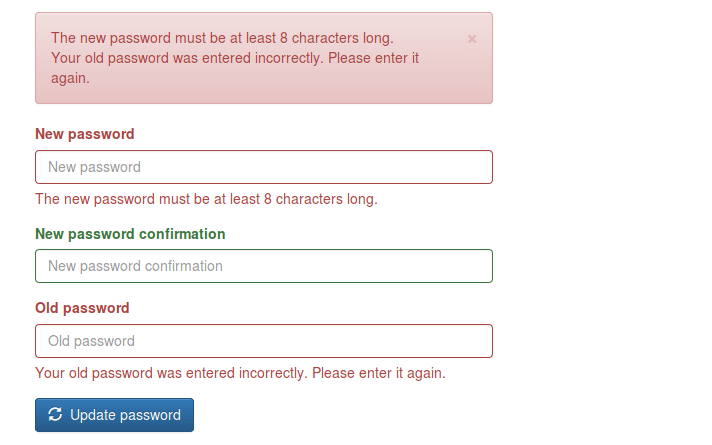
Handling Errors

If validation fails, Django automatically stores errors.

In views:

print(form.errors)

In templates:

{{ form.errors }}

Users will see helpful error messages.


Editing Existing Data with Forms

Django forms can also update records.


Example: Edit Form

def edit_article(request, id):

    article = Article.objects.get(id=id)

    if request.method == "POST":
        form = ArticleForm(request.POST, instance=article)

        if form.is_valid():
            form.save()
            return redirect("home")

    else:
        form = ArticleForm(instance=article)

    return render(request, "edit.html", {"form": form})

Key concept:

instance=article

This links the form to an existing record.


Styling Django Forms

By default, Django forms look simple.

You can customize them using widgets.


Example: Adding CSS Classes

class ArticleForm(forms.ModelForm):

    class Meta:
        model = Article
        fields = ['title', 'content']

        widgets = {
            'title': forms.TextInput(attrs={'class': 'form-control'}),
            'content': forms.Textarea(attrs={'class': 'form-control'}),
        }

This works well with Bootstrap or Tailwind.

Widgets Docs:
https://docs.djangoproject.com/en/stable/ref/forms/widgets/


File Upload Forms

Django supports file uploads easily.


Form

class UploadForm(forms.Form):
    file = forms.FileField()

View

form = UploadForm(request.POST, request.FILES)

Template

<form method="post" enctype="multipart/form-data">

File Upload Docs:
https://docs.djangoproject.com/en/stable/topics/http/file-uploads/


Django Form Lifecycle (How It Works Internally)

Every Django form follows this cycle:

User → HTML Form → POST Request
     → Django Form
     → Validation
     → Cleaned Data
     → Save / Process
     → Response

Or simply:

  1. Display
  2. Submit
  3. Validate
  4. Save
  5. Respond

Advantages of Using Django Forms

Using Django forms gives you:

✅ Less code
✅ Built-in security
✅ Automatic validation
✅ Database integration
✅ Reusable components
✅ Faster development

Compared to manual handling, Django forms are safer and more scalable.


When to Use Which Form

Use CaseBest Choice
Contact formforms.Form
RegistrationModelForm
CRUD appsModelForm
Admin panelsModelForm

In most applications, ModelForm is recommended.


Best Practices for Real Projects

Follow these rules for professional Django projects:

✔ Keep forms in forms.py
✔ Prefer ModelForm
✔ Validate critical fields
✔ Always use CSRF tokens
✔ Redirect after submission
✔ Customize UI with widgets
✔ Handle errors gracefully

These practices improve security and user experience.


Useful Learning Resources

Here are some high-quality resources to master Django forms:

Official Documentation

https://docs.djangoproject.com/en/stable/topics/forms

Django Tutorial

https://docs.djangoproject.com/en/stable/intro/tutorial01

Django Girls Tutorial

https://tutorial.djangogirls.org

Mozilla Django Guide

https://developer.mozilla.org/en-US/docs/Learn/Server-side/Django

Real Python (Forms)

https://realpython.com/django-forms

Final Summary

Django forms provide a complete system for managing user input.

They help you:

  • Create forms quickly
  • Validate data automatically
  • Secure your application
  • Save records easily
  • Reduce errors

You mainly use:

🔹 forms.Form for custom input
🔹 ModelForm for database-driven input

By mastering Django forms, you gain one of the most important skills needed to build professional web applications.


Developing Forms in WordPress vs Django: From Manual Coding to Plugins and Framework-Level Control

Rajeev Bagra · February 12, 2026 · Leave a Comment

Forms are one of the most important features of modern websites. They power contact pages, registrations, surveys, feedback systems, and lead generation.

But the way forms are built in WordPress and Django is fundamentally different.

In this article, we’ll explore three approaches:

  1. Creating forms in WordPress without plugins
  2. Using ready-made form plugins like WPForms
  3. Building forms in Django using its built-in system

By the end, you’ll understand which approach fits your goals best.


1️⃣ Building Forms in WordPress Without Any Plugin

Image
Image
Image
Image
Image

Many people assume WordPress always needs plugins for forms. In reality, you can build forms manually, but it requires writing PHP inside your theme.


🔹 How It Works

When creating forms without plugins, you must:

  • Write HTML in theme templates
  • Handle submissions using PHP
  • Process data via $_POST
  • Send emails using wp_mail()
  • Secure data manually

Example:

<form method="post">
  <input type="text" name="name" required>
  <input type="email" name="email" required>
  <textarea name="message"></textarea>
  <button type="submit">Send</button>
</form>

Processing in functions.php:

if(isset($_POST['name'])) {
  $name = sanitize_text_field($_POST['name']);
  wp_mail("admin@example.com", "New Message", $name);
}

🔹 What You Must Manage Yourself

When you don’t use a plugin, you are responsible for:

❌ Validation
❌ Security (nonces, CSRF-like protection)
❌ Spam filtering
❌ Database storage
❌ Error messages
❌ User feedback

This makes development:

  • More technical
  • Less structured
  • More error-prone

🔹 Architectural Style

WordPress manual forms are:

  • Procedural
  • Template-based
  • Dependent on global variables
  • Not object-oriented

So, WordPress without plugins means:

“Write everything yourself in PHP.”


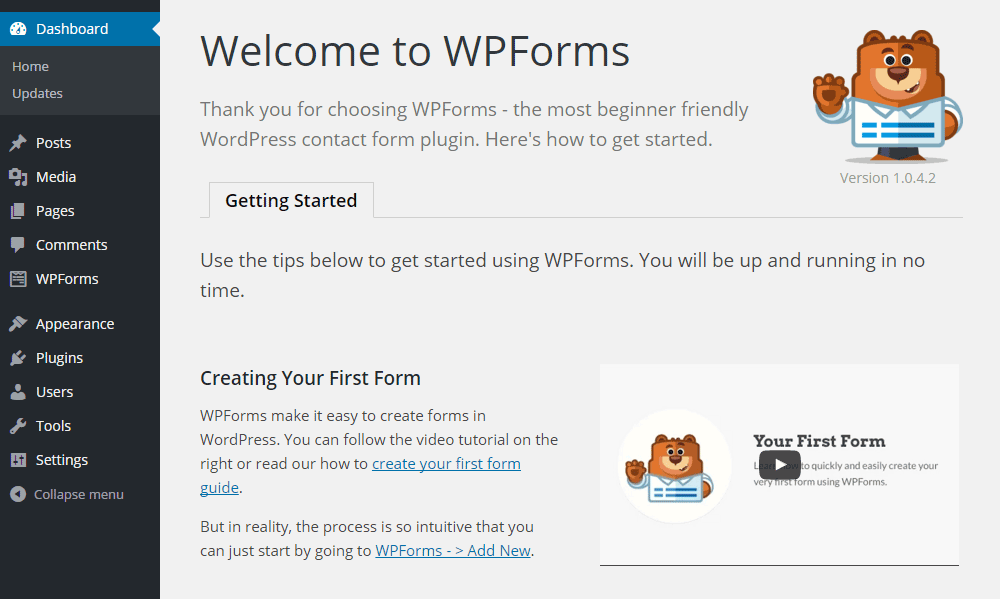
2️⃣ Creating Forms in WordPress Using Plugins (WPForms and Similar Tools)

Image
Image
Image
Image
Image

Most WordPress users prefer plugins because they remove technical complexity.

Popular tools like WPForms provide visual form builders.


🔹 How Plugin-Based Forms Work

With WPForms, you simply:

  1. Install the plugin
  2. Open the drag-and-drop editor
  3. Add fields visually
  4. Configure notifications
  5. Embed the form

No coding required.


🔹 Features Provided by Plugins

Plugins automatically handle:

✅ Validation
✅ Security
✅ Spam protection
✅ Database storage
✅ Email alerts
✅ Conditional logic
✅ Payment integration

You only configure settings.


🔹 Ready-Made Templates

WPForms includes templates such as:

  • Contact forms
  • Registration forms
  • Surveys
  • Newsletter forms
  • Feedback forms

You select → customize → publish.


🔹 Development Model

Plugin-based forms are:

  • UI-driven
  • Configuration-based
  • Low-code or no-code

So, WordPress with plugins means:

“Use tools instead of building systems.”


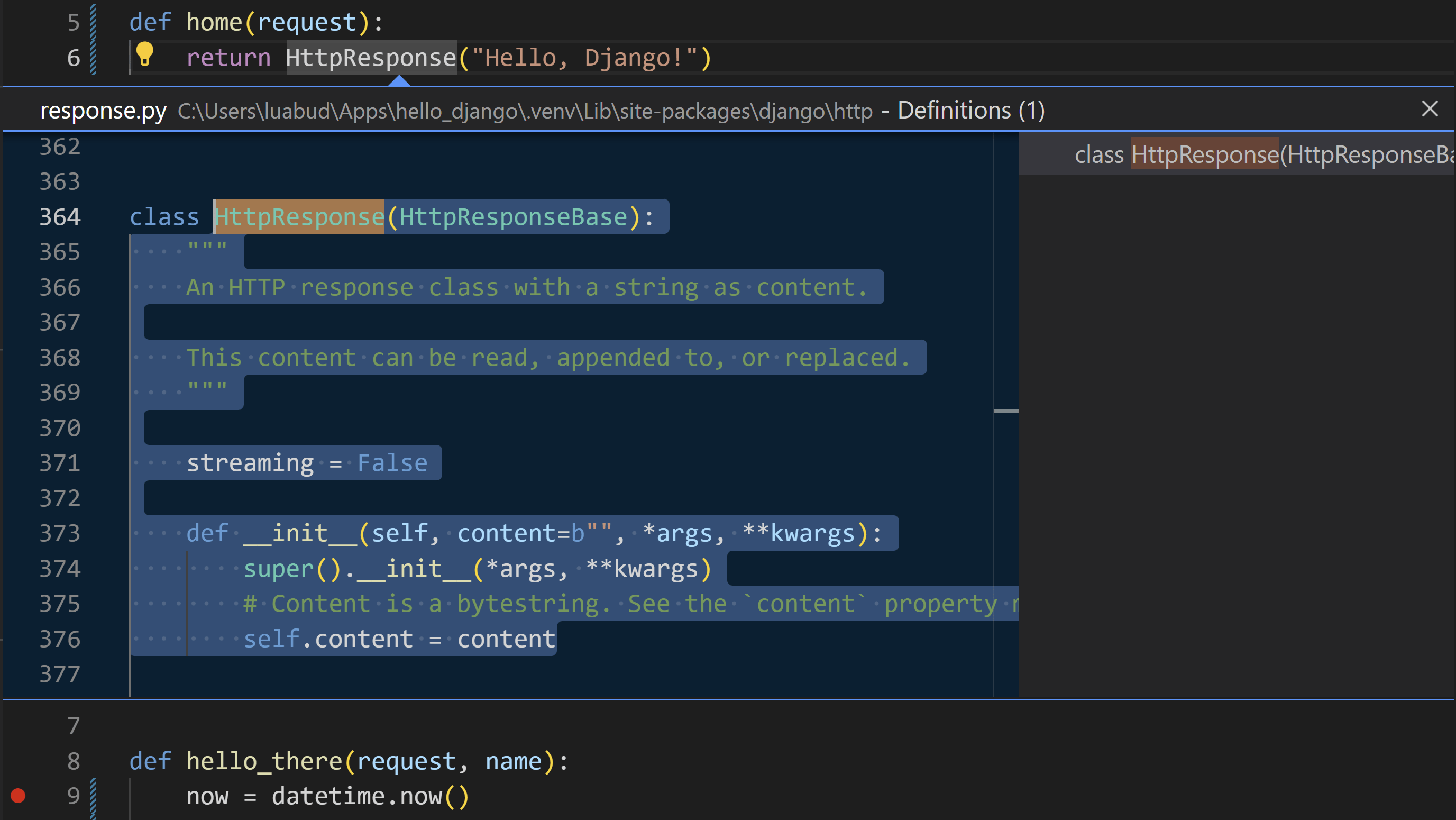
3️⃣ Forms in Django: Framework-Level Integration

Image
Image
Image
Image

Unlike WordPress, Django treats forms as a core feature of the framework.

Forms are not add-ons. They are part of the system.


🔹 How Django Forms Work

Forms are written as Python classes:

from django import forms

class ContactForm(forms.Form):
    name = forms.CharField(max_length=100)
    email = forms.EmailField()

In views:

if form.is_valid():
    data = form.cleaned_data

In templates:

{{ form.as_p }}

🔹 Built-In Capabilities

Django automatically provides:

✅ Field validation
✅ Type checking
✅ Error handling
✅ CSRF protection
✅ Data cleaning
✅ Model integration
✅ Security

No third-party plugin is required.


🔹 Template Form Features

Django templates allow full customization:

{{ form.name.label }}
{{ form.name }}
{{ form.name.errors }}

You control:

  • Layout
  • Styling
  • Error display
  • Accessibility

🔹 Development Model

Django forms are:

  • Object-oriented
  • Structured
  • Scalable
  • Framework-integrated

So, Django means:

“Build robust systems using built-in tools.”


📊 Comparison: WordPress vs Django Forms

FeatureWordPress (No Plugin)WordPress (Plugin)Django
SetupManual codingVisual UIPython classes
ValidationManualPlugin-managedBuilt-in
SecurityManualPlugin-managedBuilt-in
DatabaseManualPlugin-dependentORM-based
FlexibilityMediumLimitedVery High
ScalabilityMediumMediumHigh
Learning CurveHighLowMedium–High

🧠 Philosophical Difference

WordPress Philosophy

Originally built for blogging and content management.

Forms are:

  • Optional features
  • Implemented via plugins
  • Not core architecture

Approach:

“Extend with tools.”


Django Philosophy

Built for application development.

Forms are:

  • Core components
  • Linked to models
  • Linked to validation
  • Linked to security

Approach:

“Engineer the system.”


🔁 Real-World Example: Contact Form

In WordPress (Without Plugin)

You must create:

  1. HTML form
  2. PHP processor
  3. Validation logic
  4. Security system
  5. Email handler

More freedom, more work.


In WordPress (With WPForms)

You do:

  1. Install plugin
  2. Choose template
  3. Publish

Fast, simple, limited.


In Django

You create:

  1. Model (optional)
  2. Form class
  3. View logic
  4. Template

More setup, long-term stability.


🚀 When Should You Use Each?

Choose Manual WordPress Forms If:

✔ You want full control in WordPress
✔ You know PHP well
✔ You need lightweight solutions


Choose WPForms If:

✔ You want fast deployment
✔ You run marketing or content sites
✔ You don’t want to code
✔ You need integrations


Choose Django Forms If:

✔ You’re building SaaS platforms
✔ You need complex validation
✔ You manage large datasets
✔ You want scalable systems


📝 Final Summary

PlatformForm StyleStrength
WordPress (No Plugin)Manual PHPFlexibility
WordPress (Plugin)Visual BuilderSpeed
DjangoFramework-BasedPower & Scalability

👉 WordPress without plugins = Handcrafted
👉 WordPress with plugins = Tool-based
👉 Django = System-based


📌 Conclusion

Forms reflect the philosophy of each platform:

  • WordPress gives you freedom or convenience, depending on plugins.
  • Django gives you structure and engineering depth.

If your goal is fast website deployment, WordPress plugins are ideal.
If your goal is building long-term software products, Django forms offer unmatched control.


🌐 Popular Websites Built with Django — And Where WordPress/PHP Still Shine

Rajeev Bagra · February 6, 2026 · Leave a Comment


When people learn Django, a common question is:

“Is Django really used in big websites, or is it only for small projects?”

The answer is clear: many global platforms started and scaled with Django.

At the same time, WordPress and PHP still dominate blogging and content publishing.

In this article, we’ll explore famous websites built with Django and also highlight where WordPress/PHP has a strong niche.


🔗 Official Websites

Before we begin, here are the official platforms:

  • ✅ Django (Official Website): https://www.djangoproject.com
  • ✅ WordPress (Official Website): https://wordpress.org

These are the best places to learn, download, and follow updates.


📸 Instagram — Social Media at Massive Scale

Instagram chose Django in its early stage because it allowed developers to build features quickly and scale fast.

What Django Powers

  • User accounts
  • Posts, likes, comments
  • Feeds and APIs

📌 Lesson: Django is ideal for user-driven platforms.


🎵 Spotify — Data & Internal Systems

Spotify uses Django mainly for internal dashboards and backend tools.

Django’s Role

  • Analytics systems
  • Admin dashboards
  • Content workflows

📌 Lesson: Django works well for business systems.


📌 Pinterest — Visual Discovery Platform

Pinterest relied heavily on Django while growing from a startup.

Django Supports

  • Boards and profiles
  • Search features
  • Recommendation systems

📌 Lesson: Django handles large content platforms efficiently.


💬 Disqus — Community & Discussions

Disqus manages millions of comments daily using Django.

Django Manages

  • Moderation
  • Spam filtering
  • User reputation

📌 Lesson: Django is strong for community websites.


🦊 Mozilla — Open-Source Platforms

Mozilla uses Django for many of its developer services.

Django Powers

  • Documentation portals
  • Community platforms
  • Account systems

📌 Lesson: Django fits technical ecosystems.


⚖️ Django vs WordPress/PHP: Where Each Has a Niche

Now let’s look at where each platform shines.


🐍 Where Django Is Strongest

Django is best for:

✅ Custom web apps
✅ SaaS platforms
✅ AI & data systems
✅ APIs & mobile backends
✅ Enterprise software

📌 Django is built for developers creating systems, not just websites.


🐘 Where WordPress/PHP Dominates

WordPress remains the top choice for:

✅ Blogging & Content Sites

  • Personal blogs
  • News portals
  • Affiliate sites

✅ Business Websites

  • Company pages
  • Portfolios
  • Service sites

✅ E-commerce

  • Online stores (WooCommerce)
  • Digital products

✅ Non-Technical Users

  • Visual editors
  • Easy publishing
  • Plugin ecosystem

📌 WordPress is built for publishers and creators.


📊 Quick Comparison

FeatureDjango (Python)WordPress/PHP
Official Sitedjangoproject.comwordpress.org
SetupMediumVery Easy
CodingRequiredMinimal
BloggingWeakExcellent
Custom AppsExcellentLimited
CostHigherLower
ScalabilityHighModerate

🎯 Which Should You Choose?

Choose Django If You Want:

✅ Build web applications
✅ Create SaaS products
✅ Work with APIs and data
✅ Become a backend developer

👉 Start here: https://www.djangoproject.com


Choose WordPress If You Want:

✅ Run a blog
✅ Build affiliate sites
✅ Launch quickly
✅ Avoid heavy coding

👉 Start here: https://wordpress.org


🚀 Best Practice: Use Both Together

Many creators use:

  • WordPress → Content & SEO
  • Django → Tools & Applications

Connected via APIs, this gives:

✔ Traffic
✔ Automation
✔ Monetization
✔ Scalability


📝 Final Thoughts

Platforms like Instagram, Pinterest, and Spotify prove that:

Django is enterprise-ready and scalable.

Meanwhile, WordPress proves that:

Content publishing doesn’t need complexity.

So it’s not:

❌ Django vs WordPress
✅ It’s: “What am I building?”

  • Apps → Django
  • Blogs → WordPress
  • Hybrid → Both

  • Page 1
  • Page 2
  • Page 3
  • Interim pages omitted …
  • Page 5
  • Go to Next Page »

Primary Sidebar

Recent Posts

  • Is Twilio a Bad Company? A Balanced Review — And Should You Join the Twilio Champion Program?
  • From AWS EC2 to Azure Credits: A Practical WordPress Hosting Journey for Cost-Conscious Creators
  • How Forms Are Created and Managed in Django: A Complete Beginner’s Guide
  • Developing Forms in WordPress vs Django: From Manual Coding to Plugins and Framework-Level Control
  • 🌐 Popular Websites Built with Django — And Where WordPress/PHP Still Shine

Archives

  • February 2026
  • January 2026
  • December 2025
  • October 2025
  • August 2025

Categories

  • Blog

Tag

AWS EC2 AWS Lightsail Azure Contabo CSS DBMS DigitalOcean Django forms Git Github HTML Python spreadsheets SQL Twilio webdev webhosting WordPress
Terms Display
DBMS DigitalOcean webdev webhosting WordPress CSS Contabo AWS Lightsail Django Twilio HTML Python spreadsheets Azure forms Git Github SQL AWS EC2

Start building your digital presence with Webnzee. Contact Us

Webnzee

This website may use AI tools to assist in content creation. All articles are reviewed, edited, and fact-checked by our team before publishing. We may receive compensation for featuring sponsored products and services or when you click on links on this website. This compensation may influence the placement, presentation, and ranking of products. However, we do not cover all companies or every available product.

  • Home
  • Blog
  • Terms
  • Support
  • Subscribe
  • Contact
Scroll Up