• Skip to primary navigation
  • Skip to main content
  • Skip to primary sidebar
webnzee

Webnzee

Webnzee โ€” Your Web Dev Companion.

  • Home
  • Blog
  • Trending
  • Offers
  • Terms
    • Privacy
    • Disclaimer
  • Subscribe
  • Support
  • Contact
  • Show Search
Hide Search
You are here: Home / Archives for Blog

Blog

Future of Custom Themes, Template Designers, and Paid Plugins in the Age of AI

Rajeev Bagra · December 15, 2025 · Leave a Comment

Future of custom themes and template designers and paid themes/plugins in this category
byu/DigitalSplendid inHTML

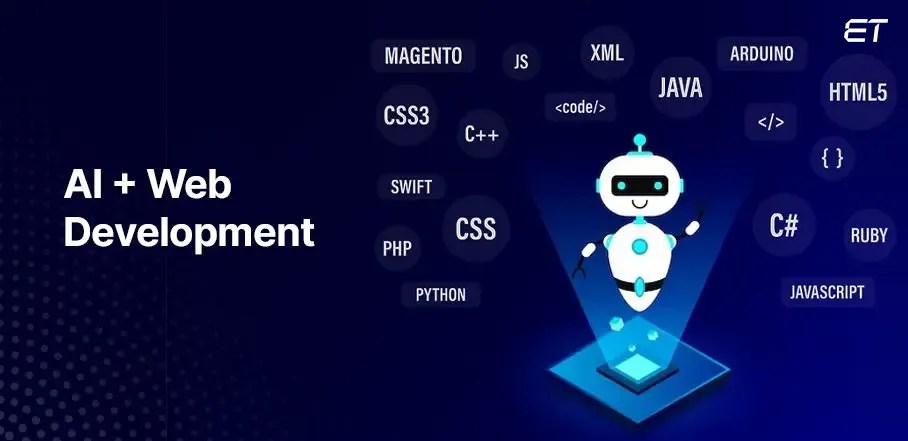
Creating a fully functional homepage in under 15 minutes, without writing a single line of HTML or CSS, naturally raises a powerful question:
Image

Is there still any real value in learning or doing front-end coding from scratch when AI can do the job instantly?

This question is no longer theoretical. It reflects a real shift in how websites are being designed, built, and delivered.


๐Ÿš€ The AI Acceleration Moment

Image

What once required:

  • layout planning
  • CSS fine-tuning
  • responsive testing

can now be achieved through simple natural-language prompts.

Modern AI tools can:

  • generate layouts
  • adjust typography and spacing
  • suggest color palettes
  • output deploy-ready markup

For static or marketing-focused pages, the productivity leap is undeniable.

Just as page builders once disrupted hand-coded themes, prompt-driven design is now disrupting page builders themselves.

Image

๐Ÿ’Ž Scarcity Creates Value โ€” Until It Doesnโ€™t

Traditionally, technical skills had value because they were scarce:

  • Knowing HTML/CSS โ†’ valuable
  • Knowing WordPress โ†’ valuable
  • Knowing page builders โ†’ valuable

But once AI can:

  • generate layouts instantly
  • fix styling issues
  • adapt designs on demand

the scarcity disappears, and so does the premium attached to routine work.

This doesnโ€™t mean skills lose meaningโ€”but they lose exclusivity.


๐Ÿ•ฐ๏ธ A Familiar Pattern: The Transcription Boom and Bust

This disruption isnโ€™t new.

Around the mid-2000s:

  • Transcription outsourcing created massive employment
  • Companies earned by training accents, typing speed, and formatting
  • Entire businesses ran 24ร—7 on human effort

Then speech recognition matured.

Within a few years:

  • Most transcription jobs vanished
  • Only highly trained editors survived to provide final review

The pattern is strikingly similar today.

Automation rarely removes everything.
It removes most roles and amplifies a few.


๐Ÿง  Clients Care About Results, Not the Process

An uncomfortable truth for professionals:

Most clients do not care whether:

  • code was handwritten
  • layouts were crafted pixel by pixel
  • AI generated the output

They care about:

  • speed
  • cost
  • reliability
  • outcomes

Understanding how something is produced matters more to builders than to buyers.


โš ๏ธ Where AI Still Struggles

A thoughtful counterpoint often raised is that good HTML is not always visible.

And thatโ€™s correct.

Areas where human expertise still matters:

โ™ฟ Accessibility

  • semantic HTML
  • ARIA roles
  • screen reader compatibility

AI often misses subtle accessibility requirements.

๐Ÿ” Security

  • authentication flows
  • input validation
  • vulnerability prevention

AI can unknowingly introduce risks.

๐Ÿงฉ Complex Interactivity

  • logins and sessions
  • search systems
  • user state management

For a simple homepage, AI is excellent.
For complex, interactive systems, blind trust can be costly.


๐Ÿง  Is Learning HTML/CSS Still Worth It?

Yesโ€”but for different reasons than before.

Learning code today is less about:

  • writing everything manually
  • competing on speed

and more about:

  • understanding what AI generates
  • validating quality
  • fixing edge cases
  • making informed architectural decisions

Coding knowledge is becoming editorial and supervisory, not mechanical.

Much like transcription editors survived automation, developers who understand fundamentals deeply will remain relevant.


๐Ÿ”ฎ The Future of Themes, Templates, and Plugins

Likely to Decline

  • generic themes
  • one-size-fits-all templates
  • simple layout-only plugins

Likely to Survive

  • niche and compliance-focused themes
  • accessibility-first frameworks
  • performance-optimized plugins
  • security-critical tooling

Likely to Evolve

  • theme designers โ†’ design system curators
  • developers โ†’ AI supervisors and integrators
  • plugins โ†’ logic, trust, and control layers, not just UI

โœจ Final Thought

AI doesnโ€™t eliminate valueโ€”it redefines it.

The future belongs to those who:

  • understand fundamentals
  • use AI deliberately
  • add judgment, responsibility, and context

Building a homepage in minutes is impressive.
Building a secure, accessible, scalable product still requires human insight.

The winning professional wonโ€™t be the one who types the most codeโ€”
but the one who knows which code truly matters.

There Is No Sharp Line Between Hardware, Software, and the Cloud โ€” Itโ€™s All One Continuum

Team Webnzee · December 14, 2025 · Leave a Comment

Image
Image
Image
Image
Image

In everyday discussions, we often draw hard boundaries between concepts like hardware vs software, desktop applications vs web applications, or local PCs vs cloud platforms like AWS. But in reality, these boundaries are more conceptual conveniences than technical truths.

At a deeper level, the same information technology principles power everythingโ€”from Microsoft Office running on your personal computer to a website served from a global cloud infrastructure.

Letโ€™s unpack this idea.


1. Hardware and Software: Two Sides of the Same Coin

We are taught early on:

  • Hardware โ†’ physical components (CPU, RAM, storage)
  • Software โ†’ programs and instructions

This distinction is useful for learningโ€”but not absolute.

Why the line is blurry:

  • Software only exists because hardware executes it
  • Hardware is useless without software telling it what to do
  • Firmware (BIOS, microcode) sits directly in between

At the lowest level:

  • Software becomes binary instructions
  • Hardware becomes logic gates reacting to electrical signals

๐Ÿ‘‰ From this perspective, software is abstracted hardware, and hardware is concretized software.


2. MS Office vs Web Applications: Same Logic, Different Delivery

There is no thin line of difference between web development and how we access MS Office or similar office documentation software.

That observation is fundamentally correct.

Consider this comparison:

MS Office (Local)Google Docs / Web Apps
Runs on local CPURuns on remote CPU
Uses local RAMUses cloud RAM
Stores files locallyStores files remotely
UI rendered locallyUI rendered locally

Whatโ€™s common?

  • The browser itself is software
  • Rendering happens on your device
  • User interaction logic is identical

The difference is where computation and storage happen, not how computing works.


3. Your PC vs AWS: Scale, Not Substance

A powerful insight is this:

It is the same IT technology that works on a small PC and on AWS.

Yesโ€”AWS is not magic. It is:

  • CPUs
  • RAM
  • Storage
  • Networking
  • Operating systems
  • Virtualization layers

The only difference is scale and abstraction.

Think of AWS as:

  • A massive distributed computer
  • Your PC is a small standalone computer
  • Both execute instructions
  • Both process data
  • Both obey the same laws of computation

Cloud computing doesnโ€™t replace local computingโ€”it extends it.


4. The Browser: The Great Equalizer

Modern browsers have quietly erased many traditional distinctions.

A browser today can:

  • Run full applications
  • Edit documents
  • Compile code
  • Stream video
  • Host development environments

In effect:

The browser has become a universal operating system interface.

Whether the backend lives:

  • On your laptop
  • On a server in your city
  • On AWS across continents

โ€ฆthe user experience often feels the same.


5. Abstraction Layers: The Real Story of IT Evolution

The real evolution in computing is not replacement, but abstraction.

Each layer builds on the previous one:

  1. Transistors
  2. Logic gates
  3. Machine code
  4. Operating systems
  5. Applications
  6. Web applications
  7. Cloud platforms

None of these eliminate the earlier layersโ€”they depend on them.

Thatโ€™s why:

  • Web apps still need CPUs
  • Cloud still runs on physical servers
  • Software always ends as hardware instructions

6. Why This Perspective Matters

Understanding this continuum helps you:

  • Learn technologies faster
  • See through hype cycles
  • Make better architectural decisions
  • Avoid false dichotomies (local vs cloud, hardware vs software)

It also explains why skills transfer:

  • A developer who understands systems adapts easily
  • Concepts like memory, processes, and I/O never disappear
  • Only interfaces and abstractions change

Final Thought: One Technology, Many Faces

There isnโ€™t a rigid line between:

  • Hardware and software
  • Desktop apps and web apps
  • Local machines and cloud platforms

There is only one computing reality, expressed at different levels of abstraction.

From a small PC on your desk to a globally distributed cloud service, the same foundational principles applyโ€”only the scale, reach, and abstraction differ.

And recognizing this unity is a sign of truly understanding how modern computing works.

When AI Can Do the Basics, Freelancers Must Go Deeper

Rajeev Bagra · December 11, 2025 · Leave a Comment


For many freelancers today, especially those working in web development and content creation, thereโ€™s a quiet but persistent realization setting in:

โ€œMuch of what I do can already be done by AI.โ€

Creating a well-designed HTML page, generating WordPress layouts, writing SEO-friendly content, or even producing basic JavaScript snippetsโ€”AI tools can now do these tasks in minutes. While this is empowering, it also raises an important question:

Where does the human freelancer add long-term value in an AI-first world?

The answer lies not in competing with AI at surface-level tasks, but in going deeper into computer science, systems thinking, and real problem-solving.


AI as a Wake-Up Call, Not a Threat

AI is excellent at pattern replication. It can generate code, content, and layouts based on existing knowledge. But it still struggles with:

  • Designing systems from first principles
  • Understanding trade-offs at scale
  • Debugging complex, real-world failures
  • Making architectural decisions under constraints
  • Translating vague business goals into technical execution

These are precisely the areas where top tech companies invest heavily in human talent.


What Big Tech Interviews Really Focus On

Companies like Google, Meta (Facebook), Amazon, and Microsoft donโ€™t hire based on how fast you can build a landing page. Their interviews are designed to test depth, not surface-level familiarity.

Core Areas They Focus On

1. Data Structures & Algorithms

  • Arrays, linked lists, stacks, queues
  • Trees, graphs, heaps
  • Sorting, searching, recursion
  • Time and space complexity (Big-O)

๐Ÿ“Œ Why it matters: Efficient problem-solving at scale.

๐Ÿ”— https://www.geeksforgeeks.org/data-structures/
๐Ÿ”— https://leetcode.com


2. Problem Solving & Logical Thinking

  • Breaking large problems into smaller ones
  • Handling edge cases
  • Writing clean, readable logic

๐Ÿ“Œ Why it matters: Real-world engineering problems are rarely well-defined.

๐Ÿ”— https://www.hackerrank.com


3. System Design

  • Designing scalable web applications
  • Databases, caching, load balancing
  • APIs, microservices, queues
  • CAP theorem and trade-offs

๐Ÿ“Œ Why it matters: This is where AI currently struggles without human guidance.

๐Ÿ”— https://github.com/donnemartin/system-design-primer
๐Ÿ”— https://www.educative.io/courses/grokking-the-system-design-interview


4. Computer Science Fundamentals

  • Operating systems basics
  • Networking (HTTP, TCP/IP, DNS)
  • Databases (SQL vs NoSQL)
  • Concurrency and memory management

๐Ÿ“Œ Why it matters: These fundamentals help you debug what AI-generated code cannot explain.

๐Ÿ”— https://cs50.harvard.edu/x/
๐Ÿ”— https://teachyourselfcs.com


From Freelancer to Startup Mindset

As a freelancer, you already possess a key advantage: execution ability. With a slight shift in mindset, you can reposition yourself as a startup founder or independent builder.

Instead of:

โ€œI build websites for clientsโ€

You move towards:

โ€œI build scalable solutions and experiment with real-world systemsโ€

This opens doors to opportunities beyond freelancing.


Leveraging Startup Cloud Credits

Major cloud providers actively support early-stage builders and solo founders.

Popular Startup Programs

  • AWS Activate
    ๐Ÿ”— https://aws.amazon.com/activate/
  • Google for Startups Cloud Program
    ๐Ÿ”— https://cloud.google.com/startup
  • Microsoft for Startups Founders Hub
    ๐Ÿ”— https://www.microsoft.com/startups

These programs offer:

  • Free cloud credits
  • Technical mentorship
  • Architecture reviews
  • Access to enterprise-grade tools

You donโ€™t need venture capitalโ€”a credible MVP and learning mindset are often enough.


Build Complex Projects That AI Canโ€™t Fully Own

Use cloud credits to work on problems like:

  • High-traffic web applications
  • Recommendation systems
  • Analytics dashboards
  • Authentication and security systems
  • AI-assisted but human-driven platforms

AI can assist you, but you remain the architect.


Content Creation With a Human Edge

If content is your niche, this journey gives you something invaluable: authentic experience.

Instead of generic โ€œHow to build Xโ€ articles, you can write:

  • What broke and why
  • Trade-offs you considered
  • Costs, performance, and mistakes
  • Lessons learned from deploying real systems

AI can help you write, but only you can provide lived insight.

That human touch is what:

  • Builds authority
  • Earns trust
  • Differentiates your content
  • Makes your work future-proof

AI Is the Tool. Depth Is the Moat.

AI will continue to improve. Basic freelancing tasks will become cheaper and faster. But deep technical understanding, system thinking, and experience-led storytelling will remain scarce.

This is the perfect time to:

  • Study computer science fundamentals
  • Think like a startup founder
  • Build complex systems
  • Use AI as an assistant, not a replacement
  • Share knowledge rooted in experience

In doing so, you donโ€™t compete with AIโ€”you transcend it.


๐ŸŒ Will Domain Names Become Obsolete?

Rajeev Bagra · December 9, 2025 · Leave a Comment


And What It Means for the Premium Domain Marketplace

The internet is changing faster than ever. With AI assistants, mobile apps, and voice search becoming dominant ways to access information, many people are wondering:

Will domain names eventually become obsolete?
Will browsers themselves disappear?
And most importantly:
What does this mean for premium domain name investors and sellers?

Letโ€™s break it down realistically.


๐Ÿ”น The Short Answer

Domain names are not going to become obsolete.
But the way people use the internet is changingโ€”and that will reshape the premium domain market over the next decade.


๐Ÿ”ฅ Why Domain Names Wonโ€™t Disappear

1. Domains Are the Address System of the Internet

No matter how fancy AI or apps become, the internet still runs on IP addresses and DNS.
Domains are simply the human-readable layer on top.

We may stop typing domain names, but:

  • Websites
  • Apps
  • APIs
  • Cloud services
  • Emails
  • SaaS dashboards
    Still require domains under the hood.

There is no scalable replacement ready to take over DNS.


2. Domains Are Legal Digital Property

Businesses use domains because they are:

  • Unique
  • Ownable
  • Legally defensible (trademarks + UDRP)
  • Trust signals to customers

Even if AI assistants fetch results automatically, every serious brand will still need a stable domain presence.


3. Apps and AI Still Depend on Domains for Backend Routing

Take any app you use:

  • WhatsApp
  • Instagram
  • Uber
  • Netflix

You may never type their domain names, but the app is powered by web servers that must have domains.

Even artificial intelligence assistants (ChatGPT, Alexa, Gemini, Copilot) fetch data from:

  • Websites
  • APIs
  • Cloud endpoints
    All of which resolve through DNS.

๐Ÿง  So What Is Changing?

## 1๏ธโƒฃ The Way People Reach Websites

Typing full domain names is becoming rare.

Instead, users rely on:

  • AI assistants (โ€œShow me the best web hostingโ€)
  • Search engines
  • Apps
  • Voice commands
  • Social media

This shift reduces โ€œdirect navigation,โ€ which used to justify huge domain investments for type-in traffic.


2๏ธโƒฃ Browsers Are Becoming Invisible

Browsers will not disappear, but they are becoming background components rather than primary user tools.

We may see:

  • AI-native browsing
  • Chat-based website navigation
  • OS-level search that returns web results without opening Chrome
  • AR/VR browsing layers

But all of these still load content from URLs hosted on domains.


๐Ÿ’ฐ Impact on the Premium Domain Name Market

This is where things get interesting.


๐Ÿ“‰ Factors Causing Decline in Some Domain Values

1. Type-in traffic is nearly dead

Domains like CarLoans.com, Hotels.com, Laptops.com once sold for huge amounts because users typed them directly.

That trend is fading.

2. Social platforms reduce domain reliance

Small businesses rely heavily on:

  • WhatsApp business profiles
  • Instagram pages
  • Google Business listings
  • YouTube channels
    These often matter more than their website.

3. AI shifts user behavior

AI agents summarize multiple websites without showing URLs.

This reduces the visible value of domains.


๐Ÿ“ˆ But Other Domain Types Are Becoming More Valuable

1. Strong brandables (.com especially)

Names like:

  • ZenPay
  • displendid
  • Datanzee
  • Stripe
  • Notion

These are still gold because every startup still needs a brand identity.

Apps can hide URLs, but NOT brand names.


2. Short .com domains

Global companies want:

  • short
  • simple
  • pronounceable
  • trademark-friendly
    names.

These will only grow in demand.


3. API / backend domains

Todayโ€™s internet is built on:

  • microservices
  • APIs
  • cloud functions

Each requires subdomains and main domains.

Enterprise infrastructure will always depend on DNS.

This is a hidden but very stable part of the market.


๐Ÿงฎ Ten-Year Prediction: What Will Happen?

โœ”๏ธ Domains will remain essential internet infrastructure.

Nothing realistically replaces DNS in the next 10โ€“20 years.

โœ”๏ธ Browsers may evolve but will not disappear.

They may become AI-driven or embedded inside OS interfaces.

โœ”๏ธ Premium domain prices will shift but not collapse.

Generic keyword domains will slightly decline.
Brandable domains and short .com names will rise.

โœ”๏ธ AI will redirect traffic but not eliminate domains.

AI tools will query websites via domains, even if users never see them.

โœ”๏ธ The market will mature, not die.

Like real estate in a city that stops expanding, value remainsโ€”just redistributes.


๐Ÿงฏ Final Verdict

Domain names are not going obsolete.
But how users interact with the internet is transforming, and with that, the premium domain market is evolving.

Expect:

  • Less value from โ€œtype-inโ€ domains
  • More value from brandable .coms
  • Continued need for domains for hosting, apps, APIs, and email
  • Browsers becoming less visible but still essential

Domain investors and website owners should adjust strategiesโ€”but not panic.


๐Ÿ” Flask vs Django vs WordPress

Rajeev Bagra · December 4, 2025 · Leave a Comment


An Unbiased, Practical Comparison for Developers, Bloggers, and Business Owners

If you’re planning to build a website, youโ€™ll often hear people debate between Python-based frameworks (Flask/Django) and WordPress. While all three can create powerful websites, they serve very different purposes, attract different kinds of users, and lead to different types of careers.

This article breaks down the differences clearly, objectively, and practically.


โœ… 1. What Exactly Are These?

๐Ÿงช Flask (Python Micro Framework)

A lightweight, minimalistic web framework. You start with almost nothing and add features manually using Python code.

Best for: Developers who want complete control and custom applications.


๐Ÿ—๏ธ Django (Python Full Stack Framework)

A batteries-included Python framework with built-in admin panel, authentication, ORM, security protections, and more.

Best for: Medium to large applications requiring rapid development with structure.


๐Ÿ“ฐ WordPress (PHP-based Content Management System)

A ready-to-use CMS designed for blogging, e-commerce (via WooCommerce), small business websites, and content-heavy platforms โ€” without needing deep coding.

Best for: Bloggers, business owners, digital marketers, and agencies.


๐Ÿ“Œ 2. Websites Built With Flask, Django, WordPress

โญ Success Stories (Flask)

  • Reddit (originally built using Flask)
  • Netflix internal tools
  • Airbnb internal APIs
  • Lyft APIs

Flask is widely used for microservices, APIs, and custom dashboards.


โญ Success Stories (Django)

  • Instagram
  • Pinterest (early versions)
  • Disqus
  • Mozilla Support website
  • Eventbrite

Django shines in large-scale applications with heavy user interactions.


โญ Success Stories (WordPress)

  • TechCrunch
  • BBC America
  • The Walt Disney Company blogs
  • The White House (before migration)
  • Millions of small business sites + WooCommerce stores

WordPress powers over 43% of the internet โ€” unmatched reach.


๐Ÿ“Š 3. Feature Comparison

๐Ÿงฉ Flexibility

FeatureFlaskDjangoWordPress
Controlโ˜…โ˜…โ˜…โ˜…โ˜… (full control)โ˜…โ˜…โ˜…โ˜…โ˜†โ˜…โ˜…โ˜†โ˜†โ˜† (plugin-heavy)
Ease of CustomizationHardMediumEasy
Best ForAPIs, apps, dashboardsScalable websitesContent sites

๐Ÿ› ๏ธ Development Speed

FlaskDjangoWordPress
Slowest (everything from scratch)Fast (prebuilt components)Fastest (click-and-build)

๐Ÿ›ก๏ธ Security

FlaskDjangoWordPress
Depends on developerVery secure out of the boxSecure if maintained + updated

๐Ÿ“ˆ Scalability

FlaskDjangoWordPress
HighVery HighMedium (requires caching/CDN)

โš–๏ธ 4. Pros and Cons


๐Ÿงช Flask โ€” Pros & Cons

โœ” Pros

  • Extremely flexible
  • Ideal for microservices & APIs
  • Lightweight, minimal dependencies
  • Great for learning how web apps work under the hood

โœ˜ Cons

  • No built-in admin panel
  • Must build authentication, forms, etc. manually
  • Slower for large app development

๐Ÿ—๏ธ Django โ€” Pros & Cons

โœ” Pros

  • Built-in admin dashboard
  • Excellent documentation
  • Batteries-included (ORM, security, sessions, forms)
  • Scales easily

โœ˜ Cons

  • Can feel โ€œopinionatedโ€
  • Heavier than Flask
  • Learning curve is steeper for those new to Python

๐Ÿ“ฐ WordPress โ€” Pros & Cons

โœ” Pros

  • No coding required
  • Huge ecosystem of themes/plugins
  • Excellent for blogging, SEO, and e-commerce
  • Quick launch โ€” hours instead of days/weeks

โœ˜ Cons

  • Can bloat with too many plugins
  • Security risks if not maintained
  • Custom features require PHP or paid plugins
  • Not ideal for complex web applications

๐ŸŽ“ 5. Learning Path for Each


๐Ÿงช Flask โ€” Learning Path

  1. Learn Python basics
  2. Learn virtual environments & pip
  3. Build a simple Flask app
  4. Learn routing, templates (Jinja2), forms
  5. Connect to a database (SQLite/PostgreSQL)
  6. Learn deployment (Gunicorn + Nginx)
  7. Create a portfolio of small apps/APIs

YouTube courses: CS50 Python, Traversy Media, PrettyPrinted
Docs: https://flask.palletsprojects.com/


๐Ÿ—๏ธ Django โ€” Learning Path

  1. Python fundamentals
  2. Django models, views, templates
  3. Django forms, authentication
  4. Build 2โ€“3 real-world projects (blog, e-commerce, CRM)
  5. Admin customization
  6. Deployment via Docker/AWS
  7. Learn DRF for APIs

Courses: Django Girls, CS50W, Corey Schafer
Docs: https://docs.djangoproject.com/


๐Ÿ“ฐ WordPress โ€” Learning Path

  1. Understand hosting & domains
  2. Install WordPress
  3. Learn plugins like RankMath, Yoast, WooCommerce
  4. Learn theme customization
  5. Learn page builders (Elementor/Divi/Gutenberg)
  6. Learn security & backups
  7. Optionally: Learn PHP for deeper development

Most suitable for: Bloggers, agencies, digital marketers, small business owners.


๐Ÿ’ก 6. Which Path Should You Choose?

โœ” Choose WordPress if:

  • You want to build content-driven sites
  • You want to launch fast
  • You donโ€™t want to code
  • You are doing affiliate marketing or SEO
  • You want to sell services as a WordPress agency

๐Ÿ‘‰ Ideal for: Bloggers, freelancers, marketers, entrepreneurs


โœ” Choose Flask if:

  • You want full technical control
  • You enjoy building systems from scratch
  • Youโ€™re building APIs, internal tools, dashboards
  • You want to learn the fundamentals of web development deeply

๐Ÿ‘‰ Ideal for: Backend developers, ML/AI engineers, startup prototypes


โœ” Choose Django if:

  • You want to build scalable web apps
  • You want a structured framework
  • You want built-in admin, authentication, ORM
  • You want a career in backend/full-stack development

๐Ÿ‘‰ Ideal for: Full-stack developers, SaaS developers, enterprise applications


๐Ÿงญ Final Recommendation (Balanced & Practical)

๐ŸŽฏ If your goal is quickly running a business website or blog โ†’ choose WordPress.

Fastest, cheapest, least technical.

๐ŸŽฏ If your goal is building a custom product, SaaS, dashboard, or startup tech โ†’ choose Django.

Most productive for full-featured applications.

๐ŸŽฏ If your goal is API-first applications or learning fundamentals โ†’ choose Flask.

Best for minimal, experimental, or microservice architecture.


  • « Go to Previous Page
  • Page 1
  • Interim pages omitted …
  • Page 15
  • Page 16
  • Page 17
  • Page 18
  • Page 19
  • Interim pages omitted …
  • Page 23
  • Go to Next Page »

Primary Sidebar

Recent Posts

  • The Future of the Internet: Every Person, Every Business, One Digital Identity
  • Affiliate Marketing in the Age of AI: How the Industry Works and Why Affiliate Networks Still Matter
  • Why Direct Traffic and Organic Search Should Be Analyzed Separately
  • Does 0 Keywords in Google Search Console Mean 0 Google Impressions?
  • Public Analytics Reports for WordPress: A Practical Way to Share Website Performance

Archives

  • October 2026
  • September 2026
  • August 2026
  • July 2026
  • June 2026
  • May 2026
  • April 2026
  • March 2026
  • February 2026
  • January 2026
  • December 2025
  • November 2025
  • October 2025
  • September 2025
  • August 2025

Categories

  • Blog
  • Offers

Tag

adsense affiliate marketing ai AI website builder AWS EC2 AWS Lightsail bitnami cloud computing Codespace CSS digitalassets Django domain domainsale email marketing forms freelancing gaming Genesis Framework Git Github Google Analytics Google Search hardware HTML IONOS mediavine Moosend Omnisend oop PayPal premium domain publisher ads Python Sendpulse SEO social media software SQL StudioPress Twilio webdev web hosting webhosting WordPress

Explore expert guides on WordPress, web hosting, website development, and online business growth. Visit Our Blog

Webnzee

This website may use AI tools to assist in content creation. All articles are reviewed, edited, and fact-checked by our team before publishing. We may receive compensation for featuring sponsored products and services or when you click on links on this website. This compensation may influence the placement, presentation, and ranking of products. However, we do not cover all companies or every available product.

  • Home
  • Blog
  • Trending
  • Offers
  • Terms
  • Subscribe
  • Support
  • Contact
Scroll Up
Loading Comments...