• Skip to primary navigation
  • Skip to main content
  • Skip to primary sidebar
webnzee

Webnzee

Webnzee β€” Your Web Dev Companion.

  • Home
  • Blog
  • Trending
  • Offers
  • Terms
    • Privacy
    • Disclaimer
  • Subscribe
  • Support
  • Contact
  • Show Search
Hide Search
You are here: Home / Archives for WordPress

WordPress

Why Bitnami WordPress Stack Makes Migration Painful (And What I Learned the Hard Way)

Rajeev Bagra · February 21, 2026 · Leave a Comment


If you’ve ever hosted WordPress on Bitnami using Amazon Lightsail, you probably know how convenient it feels at the beginning.

One-click install.
Pre-configured stack.
Security and updates handled.

It looks perfect β€” until you try to migrate.

After personally struggling to move a Bitnami-based WordPress site to a new cloud server, I realized why so many users complain about this setup. Even popular migration plugins failed, and manual migration became a multi-day debugging exercise.

In this post, I’ll explain:

  • Why Bitnami WordPress is hard to migrate
  • What Reddit users are saying
  • What actually works
  • Whether you should use Bitnami at all

The Promise of Bitnami WordPress

Bitnami offers pre-built WordPress stacks for cloud platforms like:

  • AWS Lightsail
  • Azure
  • Google Cloud
  • VirtualBox

With Bitnami, you get:

βœ… Apache/Nginx + PHP + MySQL
βœ… Security patches
βœ… Ready-made configuration
βœ… Quick deployment

For beginners, it’s attractive. You can launch a website in minutes.

But Bitnami is not standard WordPress hosting.

And that’s where the trouble begins.


The Core Problem: Non-Standard Architecture

A typical WordPress server looks like this:

/var/www/html/
  └── wordpress/
      β”œβ”€β”€ wp-content/
      β”œβ”€β”€ wp-config.php
      └── wp-admin/

Bitnami looks like this:

/opt/bitnami/apps/wordpress/htdocs
/opt/bitnami/wordpress
/bitnami/wordpress

With heavy use of:

  • Symbolic links (symlinks)
  • Custom permissions
  • Vendor-managed configs

Example:

wp-config.php β†’ /bitnami/wordpress/wp-config.php
wp-content β†’ /bitnami/wordpress/wp-content

When you move these files to another server…

➑️ Those paths no longer exist.
➑️ The links break.
➑️ WordPress crashes.

Most migration plugins cannot handle this.


Why Migration Plugins Fail on Bitnami

Many users (including myself) tried tools like:

  • MigrateGuru
  • UpdraftPlus
  • WPVivid
  • All-in-One Migration

They often fail on Bitnami because:

1. Broken Symlinks

When plugins archive your site, they copy links instead of real files.

On restore:

No such file or directory
Dangling symlink

Result: missing wp-content, missing config.


2. Permission Conflicts

Bitnami uses strict permissions:

daemon:daemon
bitnami:bitnami

After restore:

Unable to write wp-config.php
Permission denied

Plugins cannot fix this automatically.


3. Custom PHP & MySQL Setup

Bitnami bundles its own:

  • PHP version
  • MySQL/MariaDB version
  • Config files

When moving to a normal Ubuntu server:

➑️ Collation errors
➑️ Charset mismatches
➑️ Import failures

Example:

Unknown collation: utf8mb3_uca1400_ai_ci

What Reddit Users Are Saying

Bitnami WordPress stack and problems with migration
byu/DigitalSplendid inWordPress

A Reddit discussion about Bitnami migration highlights the same issues.

One user said:

β€œThe folder structure and permissions tend to break normal migration plugins.”

Another commented:

β€œManual move (export DB + copy wp-content) finally worked.”

A top commenter added:

β€œBitnami went downhill after acquisition. Build your own stack.”

Others suggested alternatives like:

  • Docker-based WordPress
  • Custom VPS setups

This mirrors exactly what I experienced.


What Actually Works: The Manual Method

After all plugins failed, the only reliable solution was:

Step 1: Database Export

On Bitnami:

mysqldump -u root -p wordpress > db_backup.sql

Step 2: Copy Real Files (Not Symlinks)

Instead of /opt/bitnami/wordpress, use:

/opt/bitnami/apps/wordpress/htdocs

Copy:

wp-content/
wp-admin/
wp-includes/

Step 3: Rebuild on New Server

On new VM:

  • Install Nginx/Apache
  • Install PHP
  • Install MySQL
  • Create database
  • Import SQL
  • Recreate wp-config.php manually

Step 4: Fix URLs

After migration:

UPDATE wp_options
SET option_value='https://yourdomain.com'
WHERE option_name IN ('siteurl','home');

Without this, redirects break.


Step 5: Fix Permissions

chown -R www-data:www-data /var/www/wordpress
chmod -R 755 /var/www/wordpress

This step is critical.


Why Bitnami Feels β€œLocked In”

Bitnami is convenient, but it creates soft vendor lock-in.

You depend on:

  • Their directory structure
  • Their update system
  • Their stack versions

Upgrading PHP, MySQL, or switching stacks is harder than normal.

As one Redditor said:

β€œYou can’t easily upgrade PHP or MySQL.”

This limits long-term flexibility.


Better Alternatives in 2026

If you want fewer migration headaches, consider:


1. Standard VPS Setup (Recommended)

Install yourself:

  • Ubuntu
  • Nginx
  • PHP-FPM
  • MySQL/MariaDB
  • WordPress

This is what you’re running now.

Pros:
βœ… Portable
βœ… Plugin-friendly
βœ… Easy migration
βœ… Full control


2. Docker WordPress

Using Docker:

docker-compose up

Everything runs in containers.

Pros:
βœ… One-command migration
βœ… Same environment everywhere
βœ… No dependency issues


3. Managed Hosting

Providers like Hostinger, Kinsta, or Cloudways handle migration.

Pros:
βœ… Support team
βœ… Automatic backups
❌ Less control


Should You Use Bitnami at All?

Use Bitnami If:

βœ… You’re testing
βœ… You’re learning
βœ… Short-term project
βœ… No migration planned


Avoid Bitnami If:

❌ You plan to scale
❌ You plan to migrate
❌ You manage multiple sites
❌ You want flexibility

For serious projects, it’s better to start clean.


My Final Verdict

Bitnami WordPress is:

βœ”οΈ Great for beginners
βœ”οΈ Fast to deploy
❌ Painful to migrate
❌ Hard to customize long-term

Migration is possible β€” but only with manual work.

If you know you’ll move servers someday, skip Bitnami and build a standard stack from Day 1.

It will save you days of frustration later.


Useful Resources

Here are some helpful links:

  • Bitnami WordPress:
    https://bitnami.com/stack/wordpress
  • WordPress Manual Migration Guide:
    https://wordpress.org/support/article/moving-wordpress/
  • Certbot SSL:
    https://certbot.eff.org
  • Docker WordPress:
    https://hub.docker.com/_/wordpress
  • AWS Lightsail:
    https://aws.amazon.com/lightsail/

Conclusion

My migration journey showed me one thing clearly:

Convenience today can become complexity tomorrow.

Bitnami makes WordPress easy to start β€” but hard to leave.

If you’re building a serious site, invest early in a clean, portable setup. Your future self will thank you.


From AWS EC2 to Azure Credits: A Practical WordPress Hosting Journey for Cost-Conscious Creators

Rajeev Bagra · February 16, 2026 · Leave a Comment

For bloggers, developers, and small startup founders, hosting WordPress efficiently is not just a technical decision β€” it’s a financial strategy.

This guide combines two important themes:

  1. Launching and managing multiple WordPress sites on AWS EC2
  2. Planning for Azure free credits once AWS credits expire

The goal is simple: build scalable WordPress infrastructure while minimizing hosting costs.


Part 1: Launching WordPress on AWS EC2 (Multi-Site Setup)

Using Amazon Web Services, specifically EC2, gives full control over your hosting environment.

Unlike managed platforms, EC2 allows you to:

  • Host multiple WordPress sites on one server
  • Configure Nginx and PHP manually
  • Optimize memory and performance
  • Reduce cost per site

Step 1: Create an EC2 Instance

A typical setup includes:

  • Ubuntu Server
  • 2 GB RAM (recommended minimum for multiple sites)
  • Open ports 80 and 443 in Security Group
  • Elastic IP attached

After launching the instance, install:

nginx
php-fpm
mariadb

Then install WordPress manually.

This gives full control compared to one-click installations.


Step 2: Host Multiple WordPress Sites on One Server

Instead of launching separate EC2 instances, you can:

  • Create separate folders inside /var/www/
  • Create separate Nginx server blocks
  • Create separate databases for each site

Example structure:

/var/www/html        β†’ Site 1 (techcosec.com)
/var/www/datanzee    β†’ Site 2 (datanzee.online)

Each site needs:

  • Its own database
  • Its own wp-config.php
  • Its own Nginx configuration

This dramatically reduces hosting cost per website.


Step 3: Configure Nginx Properly (Important)

For WordPress to work correctly, your Nginx config must include:

location / {
    try_files $uri $uri/ /index.php?$args;
}

location ~ \.php$ {
    include snippets/fastcgi-php.conf;
    fastcgi_pass unix:/run/php/php8.3-fpm.sock;
}

Without this, you may experience:

  • 404 errors on internal pages
  • Raw PHP code displaying in browser
  • β€œError establishing a database connection”

Proper Nginx configuration is critical.


Step 4: Secure with Free SSL

Once your domain points to your EC2 Elastic IP, install SSL using:

sudo apt install certbot python3-certbot-nginx -y
sudo certbot --nginx -d yourdomain.com -d www.yourdomain.com

This gives:

  • Free HTTPS
  • Auto renewal
  • Production-ready security

Step 5: Cost Optimization

With a 2GB EC2 instance, you can typically host:

  • 3–6 low-traffic WordPress sites
  • 1–2 WooCommerce stores (light usage)

Monthly estimate (after credits):

~ $18–25 per month total

This is significantly cheaper than hosting each site separately on managed platforms.


Part 2: What Happens After AWS Free Credits End?

Many creators start with AWS credits. The next logical question is:

What happens when AWS credits are exhausted?

This is where Microsoft Azure becomes relevant.


Azure Free Credit Explained

Azure offers:

$200 Free Credit (30 Days Only)

  • One-time offer
  • Valid for 30 days
  • Usable on most services

This is ideal for migrating WordPress after AWS credits expire.


Are There Other Ways to Get Azure Credits?

Yes β€” but conditional.

1. Azure for Students

  • $100+ credits
  • No credit card required (in many regions)

2. Microsoft for Startups

  • $1,000 to $25,000+ credits
  • Requires approval

3. Promotional / Sponsorship Credits

  • Tech events
  • Microsoft Learn challenges
  • Hackathons

These are not guaranteed but are useful if eligible.


Azure vs AWS for WordPress Hosting

FeatureAWS EC2Azure VM
Initial Free CreditVaries$200 (30 days)
Long-term CostSlightly cheaperSlightly higher
Community SupportLargerStrong but smaller
Dashboard ComplexityMediumSlightly more complex

For most independent creators:

AWS remains slightly more cost-effective long-term.

Azure is an excellent secondary option.


A Smart Hosting Strategy

Many experienced founders follow this path:

  1. Launch on AWS EC2
  2. Use free credits fully
  3. Migrate to Azure for another credit cycle
  4. Eventually move to low-cost VPS for stability

This approach:

  • Reduces upfront cost
  • Builds infrastructure skills
  • Avoids vendor dependency

Important: Always Keep Backups

Before migrating between cloud providers:

  • Backup WordPress files
  • Export MySQL database
  • Use migration plugins (WPVivid / Updraft)
  • Test on temporary domain first

Never switch DNS before confirming migration works.


Final Recommendation

For bloggers hosting multiple WordPress sites:

  • AWS EC2 offers the best balance of control and cost.
  • Azure free credits provide a valuable second phase.
  • Long-term stability may come from optimized VPS hosting.

The key is not chasing free hosting blindly β€” but using free credits strategically while building real infrastructure skills.


Closing Thought

Cloud hosting is no longer just for enterprises. With careful configuration, a single properly optimized server can host multiple WordPress sites securely and affordably.

Free credits are temporary.

Knowledge is permanent.

And the real asset is learning how to control your own hosting stack.

Developing Forms in WordPress vs Django: From Manual Coding to Plugins and Framework-Level Control

Rajeev Bagra · February 12, 2026 · Leave a Comment

Forms are one of the most important features of modern websites. They power contact pages, registrations, surveys, feedback systems, and lead generation.

But the way forms are built in WordPress and Django is fundamentally different.

In this article, we’ll explore three approaches:

  1. Creating forms in WordPress without plugins
  2. Using ready-made form plugins like WPForms
  3. Building forms in Django using its built-in system

By the end, you’ll understand which approach fits your goals best.


1️⃣ Building Forms in WordPress Without Any Plugin

Image
Image
Image
Image
Image

Many people assume WordPress always needs plugins for forms. In reality, you can build forms manually, but it requires writing PHP inside your theme.


πŸ”Ή How It Works

When creating forms without plugins, you must:

  • Write HTML in theme templates
  • Handle submissions using PHP
  • Process data via $_POST
  • Send emails using wp_mail()
  • Secure data manually

Example:

<form method="post">
  <input type="text" name="name" required>
  <input type="email" name="email" required>
  <textarea name="message"></textarea>
  <button type="submit">Send</button>
</form>

Processing in functions.php:

if(isset($_POST['name'])) {
  $name = sanitize_text_field($_POST['name']);
  wp_mail("admin@example.com", "New Message", $name);
}

πŸ”Ή What You Must Manage Yourself

When you don’t use a plugin, you are responsible for:

❌ Validation
❌ Security (nonces, CSRF-like protection)
❌ Spam filtering
❌ Database storage
❌ Error messages
❌ User feedback

This makes development:

  • More technical
  • Less structured
  • More error-prone

πŸ”Ή Architectural Style

WordPress manual forms are:

  • Procedural
  • Template-based
  • Dependent on global variables
  • Not object-oriented

So, WordPress without plugins means:

β€œWrite everything yourself in PHP.”


2️⃣ Creating Forms in WordPress Using Plugins (WPForms and Similar Tools)

Image
Image
Image
Image
Image

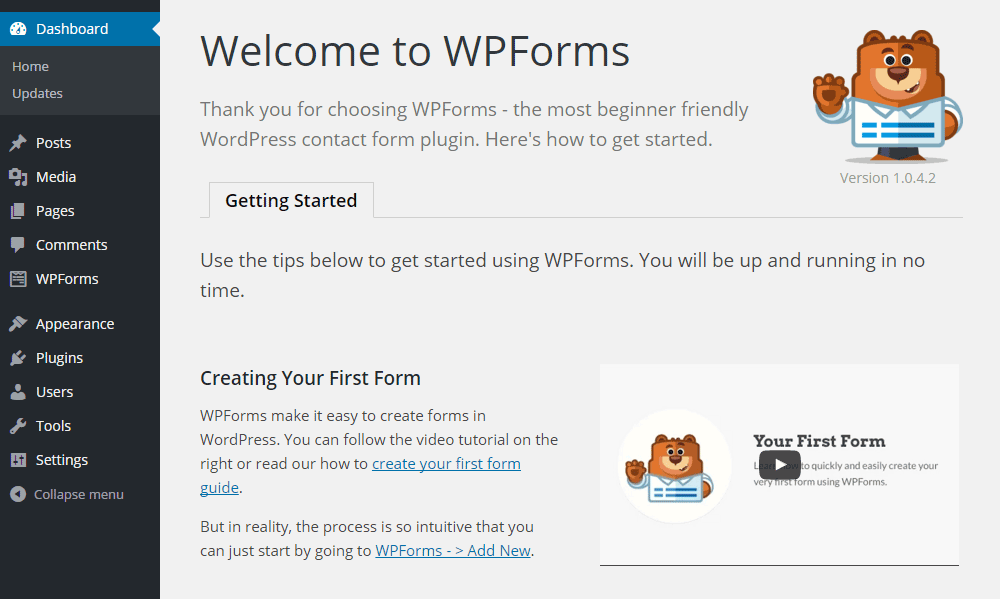
Most WordPress users prefer plugins because they remove technical complexity.

Popular tools like WPForms provide visual form builders.


πŸ”Ή How Plugin-Based Forms Work

With WPForms, you simply:

  1. Install the plugin
  2. Open the drag-and-drop editor
  3. Add fields visually
  4. Configure notifications
  5. Embed the form

No coding required.


πŸ”Ή Features Provided by Plugins

Plugins automatically handle:

βœ… Validation
βœ… Security
βœ… Spam protection
βœ… Database storage
βœ… Email alerts
βœ… Conditional logic
βœ… Payment integration

You only configure settings.


πŸ”Ή Ready-Made Templates

WPForms includes templates such as:

  • Contact forms
  • Registration forms
  • Surveys
  • Newsletter forms
  • Feedback forms

You select β†’ customize β†’ publish.


πŸ”Ή Development Model

Plugin-based forms are:

  • UI-driven
  • Configuration-based
  • Low-code or no-code

So, WordPress with plugins means:

β€œUse tools instead of building systems.”


3️⃣ Forms in Django: Framework-Level Integration

Image
Image
Image
Image

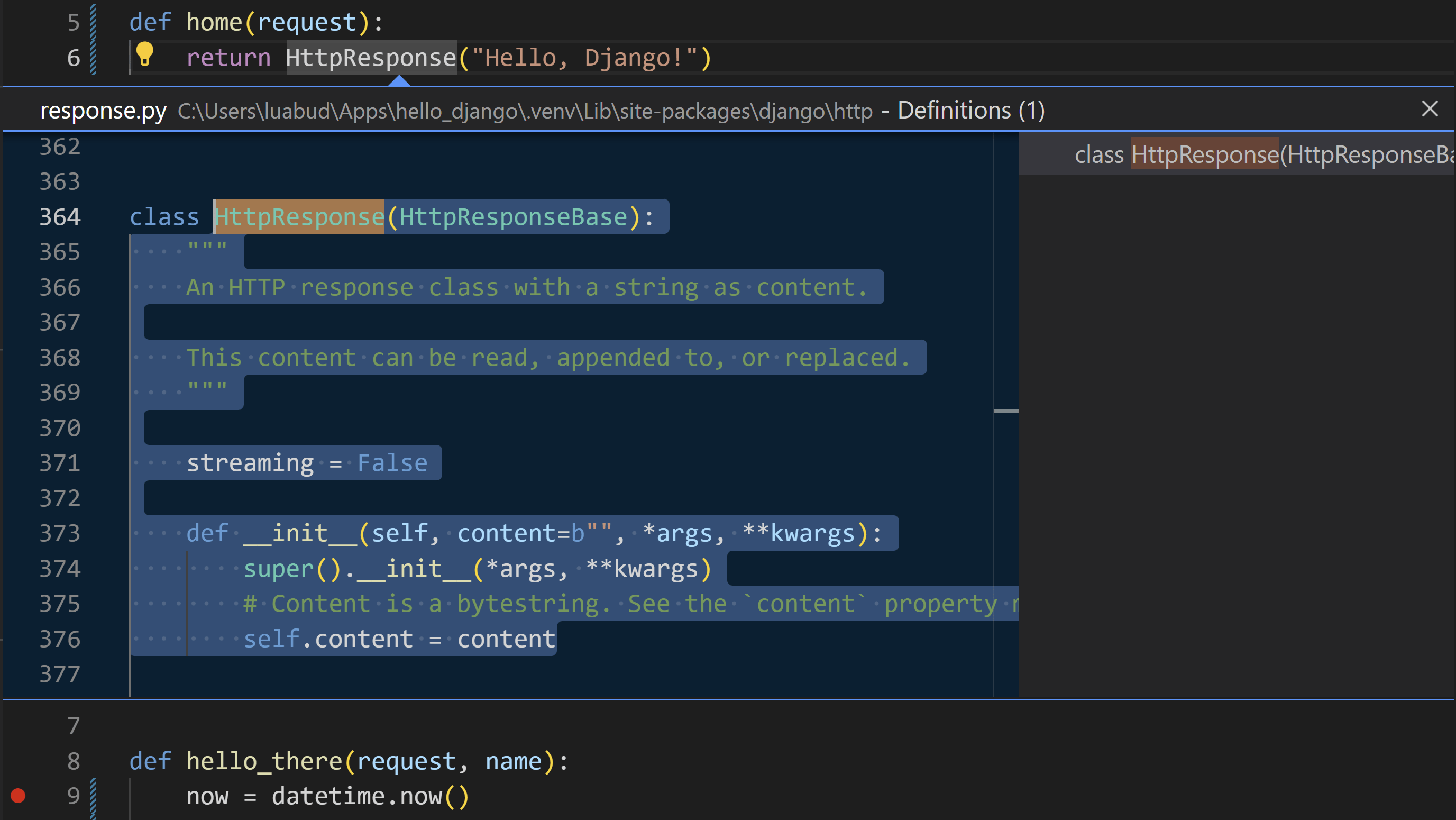
Unlike WordPress, Django treats forms as a core feature of the framework.

Forms are not add-ons. They are part of the system.


πŸ”Ή How Django Forms Work

Forms are written as Python classes:

from django import forms

class ContactForm(forms.Form):
    name = forms.CharField(max_length=100)
    email = forms.EmailField()

In views:

if form.is_valid():
    data = form.cleaned_data

In templates:

{{ form.as_p }}

πŸ”Ή Built-In Capabilities

Django automatically provides:

βœ… Field validation
βœ… Type checking
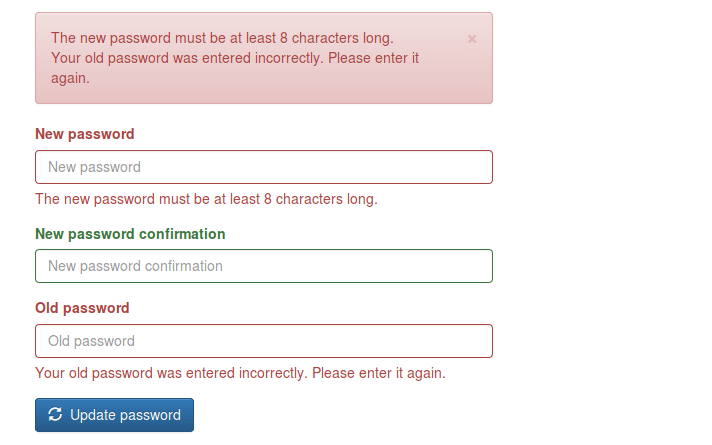
βœ… Error handling
βœ… CSRF protection
βœ… Data cleaning
βœ… Model integration
βœ… Security

No third-party plugin is required.


πŸ”Ή Template Form Features

Django templates allow full customization:

{{ form.name.label }}
{{ form.name }}
{{ form.name.errors }}

You control:

  • Layout
  • Styling
  • Error display
  • Accessibility

πŸ”Ή Development Model

Django forms are:

  • Object-oriented
  • Structured
  • Scalable
  • Framework-integrated

So, Django means:

β€œBuild robust systems using built-in tools.”


πŸ“Š Comparison: WordPress vs Django Forms

FeatureWordPress (No Plugin)WordPress (Plugin)Django
SetupManual codingVisual UIPython classes
ValidationManualPlugin-managedBuilt-in
SecurityManualPlugin-managedBuilt-in
DatabaseManualPlugin-dependentORM-based
FlexibilityMediumLimitedVery High
ScalabilityMediumMediumHigh
Learning CurveHighLowMedium–High

🧠 Philosophical Difference

WordPress Philosophy

Originally built for blogging and content management.

Forms are:

  • Optional features
  • Implemented via plugins
  • Not core architecture

Approach:

β€œExtend with tools.”


Django Philosophy

Built for application development.

Forms are:

  • Core components
  • Linked to models
  • Linked to validation
  • Linked to security

Approach:

β€œEngineer the system.”


πŸ” Real-World Example: Contact Form

In WordPress (Without Plugin)

You must create:

  1. HTML form
  2. PHP processor
  3. Validation logic
  4. Security system
  5. Email handler

More freedom, more work.


In WordPress (With WPForms)

You do:

  1. Install plugin
  2. Choose template
  3. Publish

Fast, simple, limited.


In Django

You create:

  1. Model (optional)
  2. Form class
  3. View logic
  4. Template

More setup, long-term stability.


πŸš€ When Should You Use Each?

Choose Manual WordPress Forms If:

βœ” You want full control in WordPress
βœ” You know PHP well
βœ” You need lightweight solutions


Choose WPForms If:

βœ” You want fast deployment
βœ” You run marketing or content sites
βœ” You don’t want to code
βœ” You need integrations


Choose Django Forms If:

βœ” You’re building SaaS platforms
βœ” You need complex validation
βœ” You manage large datasets
βœ” You want scalable systems


πŸ“ Final Summary

PlatformForm StyleStrength
WordPress (No Plugin)Manual PHPFlexibility
WordPress (Plugin)Visual BuilderSpeed
DjangoFramework-BasedPower & Scalability

πŸ‘‰ WordPress without plugins = Handcrafted
πŸ‘‰ WordPress with plugins = Tool-based
πŸ‘‰ Django = System-based


πŸ“Œ Conclusion

Forms reflect the philosophy of each platform:

  • WordPress gives you freedom or convenience, depending on plugins.
  • Django gives you structure and engineering depth.

If your goal is fast website deployment, WordPress plugins are ideal.
If your goal is building long-term software products, Django forms offer unmatched control.


🌐 Popular Websites Built with Django β€” And Where WordPress/PHP Still Shine

Rajeev Bagra · February 6, 2026 · Leave a Comment


When people learn Django, a common question is:

β€œIs Django really used in big websites, or is it only for small projects?”

The answer is clear: many global platforms started and scaled with Django.

At the same time, WordPress and PHP still dominate blogging and content publishing.

In this article, we’ll explore famous websites built with Django and also highlight where WordPress/PHP has a strong niche.


πŸ”— Official Websites

Before we begin, here are the official platforms:

  • βœ… Django (Official Website): https://www.djangoproject.com
  • βœ… WordPress (Official Website): https://wordpress.org

These are the best places to learn, download, and follow updates.


πŸ“Έ Instagram β€” Social Media at Massive Scale

Instagram chose Django in its early stage because it allowed developers to build features quickly and scale fast.

What Django Powers

  • User accounts
  • Posts, likes, comments
  • Feeds and APIs

πŸ“Œ Lesson: Django is ideal for user-driven platforms.


🎡 Spotify β€” Data & Internal Systems

Spotify uses Django mainly for internal dashboards and backend tools.

Django’s Role

  • Analytics systems
  • Admin dashboards
  • Content workflows

πŸ“Œ Lesson: Django works well for business systems.


πŸ“Œ Pinterest β€” Visual Discovery Platform

Pinterest relied heavily on Django while growing from a startup.

Django Supports

  • Boards and profiles
  • Search features
  • Recommendation systems

πŸ“Œ Lesson: Django handles large content platforms efficiently.


πŸ’¬ Disqus β€” Community & Discussions

Disqus manages millions of comments daily using Django.

Django Manages

  • Moderation
  • Spam filtering
  • User reputation

πŸ“Œ Lesson: Django is strong for community websites.


🦊 Mozilla β€” Open-Source Platforms

Mozilla uses Django for many of its developer services.

Django Powers

  • Documentation portals
  • Community platforms
  • Account systems

πŸ“Œ Lesson: Django fits technical ecosystems.


βš–οΈ Django vs WordPress/PHP: Where Each Has a Niche

Now let’s look at where each platform shines.


🐍 Where Django Is Strongest

Django is best for:

βœ… Custom web apps
βœ… SaaS platforms
βœ… AI & data systems
βœ… APIs & mobile backends
βœ… Enterprise software

πŸ“Œ Django is built for developers creating systems, not just websites.


🐘 Where WordPress/PHP Dominates

WordPress remains the top choice for:

βœ… Blogging & Content Sites

  • Personal blogs
  • News portals
  • Affiliate sites

βœ… Business Websites

  • Company pages
  • Portfolios
  • Service sites

βœ… E-commerce

  • Online stores (WooCommerce)
  • Digital products

βœ… Non-Technical Users

  • Visual editors
  • Easy publishing
  • Plugin ecosystem

πŸ“Œ WordPress is built for publishers and creators.


πŸ“Š Quick Comparison

FeatureDjango (Python)WordPress/PHP
Official Sitedjangoproject.comwordpress.org
SetupMediumVery Easy
CodingRequiredMinimal
BloggingWeakExcellent
Custom AppsExcellentLimited
CostHigherLower
ScalabilityHighModerate

🎯 Which Should You Choose?

Choose Django If You Want:

βœ… Build web applications
βœ… Create SaaS products
βœ… Work with APIs and data
βœ… Become a backend developer

πŸ‘‰ Start here: https://www.djangoproject.com


Choose WordPress If You Want:

βœ… Run a blog
βœ… Build affiliate sites
βœ… Launch quickly
βœ… Avoid heavy coding

πŸ‘‰ Start here: https://wordpress.org


πŸš€ Best Practice: Use Both Together

Many creators use:

  • WordPress β†’ Content & SEO
  • Django β†’ Tools & Applications

Connected via APIs, this gives:

βœ” Traffic
βœ” Automation
βœ” Monetization
βœ” Scalability


πŸ“ Final Thoughts

Platforms like Instagram, Pinterest, and Spotify prove that:

Django is enterprise-ready and scalable.

Meanwhile, WordPress proves that:

Content publishing doesn’t need complexity.

So it’s not:

❌ Django vs WordPress
βœ… It’s: β€œWhat am I building?”

  • Apps β†’ Django
  • Blogs β†’ WordPress
  • Hybrid β†’ Both

πŸš€ How a WordPress (PHP) Website Can Run Python Code in the Browser

Rajeev Bagra · February 5, 2026 · Leave a Comment

Today, WordPress websites can integrate and leverage multiple programming environmentsβ€”including Pythonβ€”without modifying server infrastructure.

This article explains how a Python-powered interactive widget can operate inside a WordPress website and why this capability is important for modern digital platforms.


πŸ”Ή WordPress Is Built on PHP β€” But Not Limited to It

WordPress is traditionally powered by:

  • PHP for server-side processing
  • MySQL for database management
  • HTML, CSS, and JavaScript for frontend rendering

Because of this architecture, many assume that WordPress is restricted to PHP-based features.

In reality, modern browsers now function as powerful execution environments capable of running multiple programming languages.

As a result, WordPress can seamlessly integrate with diverse technology stacks.


πŸ”Ή Running Python Inside a WordPress Page

In this implementation, a Python-based Monty Hall simulation widget was embedded directly into a WordPress page.

Importantly, the hosting server does not run Python.

Instead, the Python code executes inside the visitor’s web browser.

This is made possible through browser-based runtimes that enable Python execution using modern web standards.

This approach eliminates the need for:

  • Python servers
  • Backend configuration
  • Virtual machines
  • Additional hosting costs

All computation occurs on the client side.


πŸ”Ή The Technology Behind This Integration

Several technologies work together to enable this functionality.

1️⃣ JavaScript as the Integration Layer

JavaScript serves as the primary interface between the webpage and the Python runtime. It is responsible for:

  • Loading the Python engine
  • Sending user input
  • Executing scripts
  • Displaying output

2️⃣ Pyodide: Python in the Browser

Pyodide compiles Python into WebAssembly, allowing it to run securely inside modern browsers.

It provides:

  • Native Python syntax
  • Standard library support
  • High execution speed
  • Sandboxed security

3️⃣ WordPress Custom HTML Blocks

WordPress allows administrators to embed custom HTML and JavaScript using built-in editor blocks.

This makes it possible to integrate advanced functionality without additional plugins.


πŸ”Ή How the System Architecture Works

The simplified workflow is as follows:

User Browser
     ↓
JavaScript Interface
     ↓
Pyodide Runtime
     ↓
Python Program

Meanwhile, the WordPress server performs its standard role:

WordPress Server (PHP)
     ↓
Page Delivery

The server delivers content, while computation happens in the browser.

Both layers operate independently but collaboratively.


πŸ”Ή Benefits for Website Owners

This architecture provides several practical advantages.

βœ… 1. Reduced Server Load

All processing occurs on user devices, keeping hosting resource usage minimal.

This improves site speed and reduces infrastructure costs.

βœ… 2. Multi-Language Support

WordPress pages can integrate:

  • Python
  • JavaScript
  • WebAssembly modules
  • Data analysis libraries
  • AI frameworks

This enables advanced applications within standard CMS pages.

βœ… 3. Interactive Content Delivery

Websites can provide:

  • Simulators
  • Calculators
  • Visual tools
  • Educational modules
  • Analytical dashboards

Such features enhance user experience and engagement.

βœ… 4. Improved User Retention

Interactive tools increase visitor interaction time, which positively influences:

  • Search engine rankings
  • Bounce rates
  • Brand credibility
  • Monetization potential

πŸ”Ή Example: Monty Hall Probability Simulation

🎯 Monty Hall Simulation (Python Demo)


The embedded widget allows visitors to:

  • Select simulation parameters
  • Execute Python code
  • Observe probability outcomes
  • Learn through experimentation

This transforms passive reading into active learning.


πŸ”Ή PHP, Python, and JavaScript as Complementary Technologies

Modern web systems no longer rely on a single language.

Instead, they integrate specialized tools for different tasks.

A typical hybrid stack may look like:

LayerTechnology
ServerPHP (WordPress)
InterfaceHTML/CSS
LogicJavaScript
ComputationPython (WebAssembly)

Each layer contributes distinct capabilities.


πŸ”Ή Practical Use Cases

Cross-stack integration enables multiple applications.

πŸ“Š Data Analytics

  • Statistical simulations
  • Probability models
  • Visualization tools

πŸ€– Artificial Intelligence

  • In-browser inference
  • Text processing
  • Recommendation engines

πŸŽ“ Education Platforms

  • Coding labs
  • Math simulators
  • Interactive lessons

πŸ’Ό Business Applications

  • Financial calculators
  • ROI models
  • Pricing engines

All can be deployed within WordPress.


πŸ”Ή Security Considerations

This approach remains secure when properly implemented.

Key factors include:

  • Browser sandboxing
  • No server-side execution
  • No database access
  • No filesystem privileges

Client-side execution reduces exposure to backend vulnerabilities.


πŸ”Ή WordPress as a Modern Application Platform

WordPress is often perceived as a simple blogging system.

However, modern integrations demonstrate that it functions as a flexible digital platform.

With browser-based computing, WordPress can support:

  • Simulation environments
  • Educational tools
  • Data platforms
  • Micro-applications

Its capabilities extend far beyond content publishing.


πŸ”Ή Conclusion

The successful integration of a Python-based widget within a WordPress website demonstrates the evolving nature of web platforms.

By combining:

  • PHP for content delivery
  • JavaScript for orchestration
  • Python for computation

website owners can build sophisticated hybrid applications.

This approach eliminates traditional limitations associated with single-stack development.


✨ Key Takeaway

Modern WordPress websites can leverage multiple programming environments:

βœ” PHP
βœ” JavaScript
βœ” Python
βœ” WebAssembly
βœ” AI Libraries

All within a unified platform.

WordPress is no longer limited to blogging.
It functions as a comprehensive application ecosystem

  • « Go to Previous Page
  • Page 1
  • Page 2
  • Page 3
  • Page 4
  • Page 5
  • Page 6
  • Interim pages omitted …
  • Page 8
  • Go to Next Page »

Primary Sidebar

Recent Posts

  • The Future of the Internet: Every Person, Every Business, One Digital Identity
  • Affiliate Marketing in the Age of AI: How the Industry Works and Why Affiliate Networks Still Matter
  • Why Direct Traffic and Organic Search Should Be Analyzed Separately
  • Does 0 Keywords in Google Search Console Mean 0 Google Impressions?
  • Public Analytics Reports for WordPress: A Practical Way to Share Website Performance

Archives

  • October 2026
  • September 2026
  • August 2026
  • July 2026
  • June 2026
  • May 2026
  • April 2026
  • March 2026
  • February 2026
  • January 2026
  • December 2025
  • November 2025
  • October 2025
  • September 2025
  • August 2025

Categories

  • Blog
  • Offers

Tag

adsense affiliate marketing ai AI website builder AWS EC2 AWS Lightsail bitnami cloud computing Codespace CSS digitalassets Django domain domainsale email marketing forms freelancing gaming Genesis Framework Git Github Google Analytics Google Search hardware HTML IONOS mediavine Moosend Omnisend oop PayPal premium domain publisher ads Python Sendpulse SEO social media software SQL StudioPress Twilio webdev web hosting webhosting WordPress

Explore expert guides on WordPress, web hosting, website development, and online business growth. Visit Our Blog

Webnzee

This website may use AI tools to assist in content creation. All articles are reviewed, edited, and fact-checked by our team before publishing. We may receive compensation for featuring sponsored products and services or when you click on links on this website. This compensation may influence the placement, presentation, and ranking of products. However, we do not cover all companies or every available product.

  • Home
  • Blog
  • Trending
  • Offers
  • Terms
  • Subscribe
  • Support
  • Contact
Scroll Up